
Key takeaways
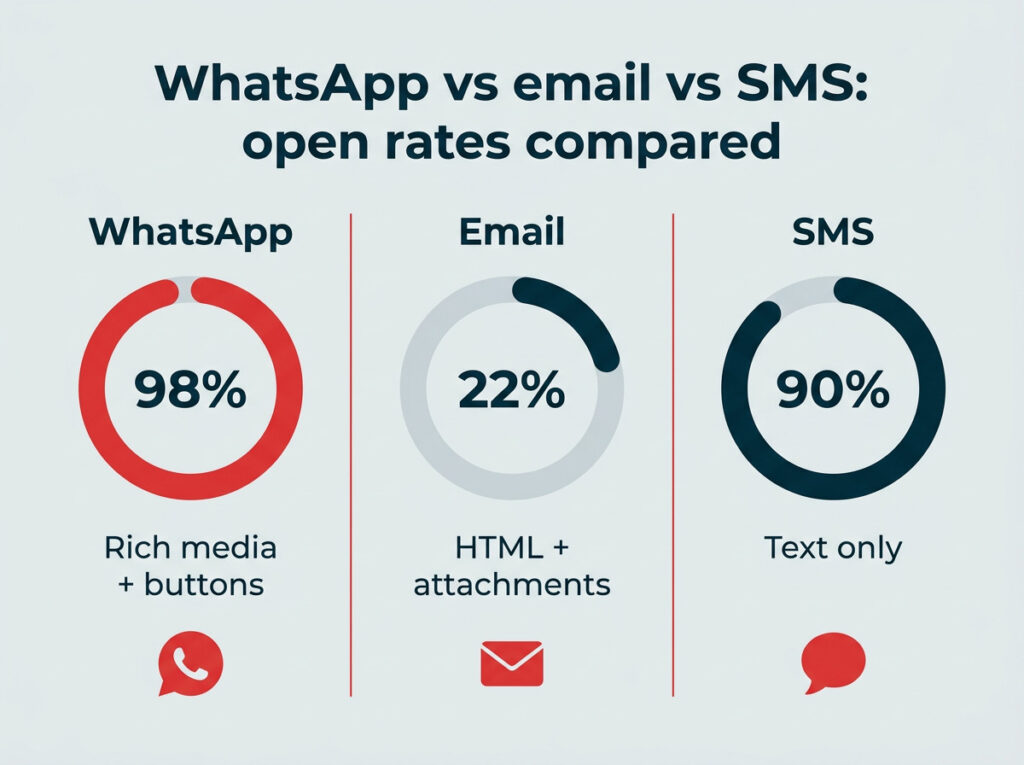
- WhatsApp marketing lets businesses reach nearly three billion users through personalized messages, product catalogs, automated conversations, and customer support on a platform with near-98% open rates.
- Choosing between the free WhatsApp Business App and the WhatsApp Business Platform (API) depends on your team size and marketing complexity. The App suits small teams; the Platform supports enterprise automation and CRM integration.
- A successful WhatsApp marketing strategy requires opt-in consent, audience segmentation, Meta-approved message templates, and ongoing performance measurement.
- Tools like Hootsuite let you manage WhatsApp conversations alongside all your other social channels from a single dashboard, so nothing falls through the cracks.
What is WhatsApp marketing?
WhatsApp marketing is the practice of using WhatsApp’s messaging platform to promote products, engage customers, provide support, and drive conversions through direct, personalized messages.
WhatsApp is a free messaging app owned by Meta. It’s widely used for personal messaging, group chats, voice and video calls, and sharing photos, videos, and documents. But it’s also a serious business channel. Paid WhatsApp messaging reached a $2 billion annual run rate in Q4 2025. WhatsApp Business was built specifically to help companies connect with customers at scale.
People use WhatsApp because:
- Free: The only charges you might get are data roaming charges.
- Reliable: You can use WhatsApp to communicate with users all over the world. You just need access to mobile data or a wi-fi connection.
- Widely available: There are WhatsApp users in 180 different countries.
- More than texting: You can use WhatsApp for voice and video calls and share photos, videos, documents, or your location.
For marketers, that massive, engaged user base makes WhatsApp a channel worth taking seriously.
Why should you invest in WhatsApp marketing in 2026?
You should invest in WhatsApp marketing in 2026 because it gives marketers something most channels can’t: a direct, personal line to customers on a platform they already use every day. Here are the key reasons it deserves a spot in your social media strategy.
- Near-98% open rates: WhatsApp messages are opened at dramatically higher rates than email or SMS, meaning your content is far more likely to be seen.
- Global reach: With nearly three billion monthly active users in 180+ countries, including 32% of U.S. adults, WhatsApp connects you to audiences that may be difficult to reach through other channels.
- Cost-effectiveness: The WhatsApp Business App is free, and even the API-based Platform charges per-message fees (varying by message category and recipient country) that are often lower than SMS costs, especially for international messaging.
- Rich media capabilities: Go beyond plain text with images, videos, PDFs, location pins, and interactive buttons directly in the conversation.
- Direct, personal communication: Messages land in the same inbox where customers chat with friends and family, creating a more intimate and trusted touchpoint.
- Meta ad ecosystem integration: Click-to-WhatsApp ads on Facebook and Instagram, which grew revenue 60% year-over-year in Q3 2025, let you drive prospects straight into a WhatsApp conversation, bridging paid media and messaging.
How does WhatsApp marketing compare to email and SMS?
The biggest difference is attention. Email open rates typically hover around 20-25%, while WhatsApp messages see open rates near 98%. SMS gets strong open rates too, but it lacks the rich media features WhatsApp offers, like images, videos, and interactive buttons. And unlike SMS, WhatsApp messages don’t cost per-send for the recipient, which removes a friction point, especially for international audiences.
That said, WhatsApp marketing works best as a complement to email and SMS, not a replacement. Each channel has strengths depending on the message type and audience.
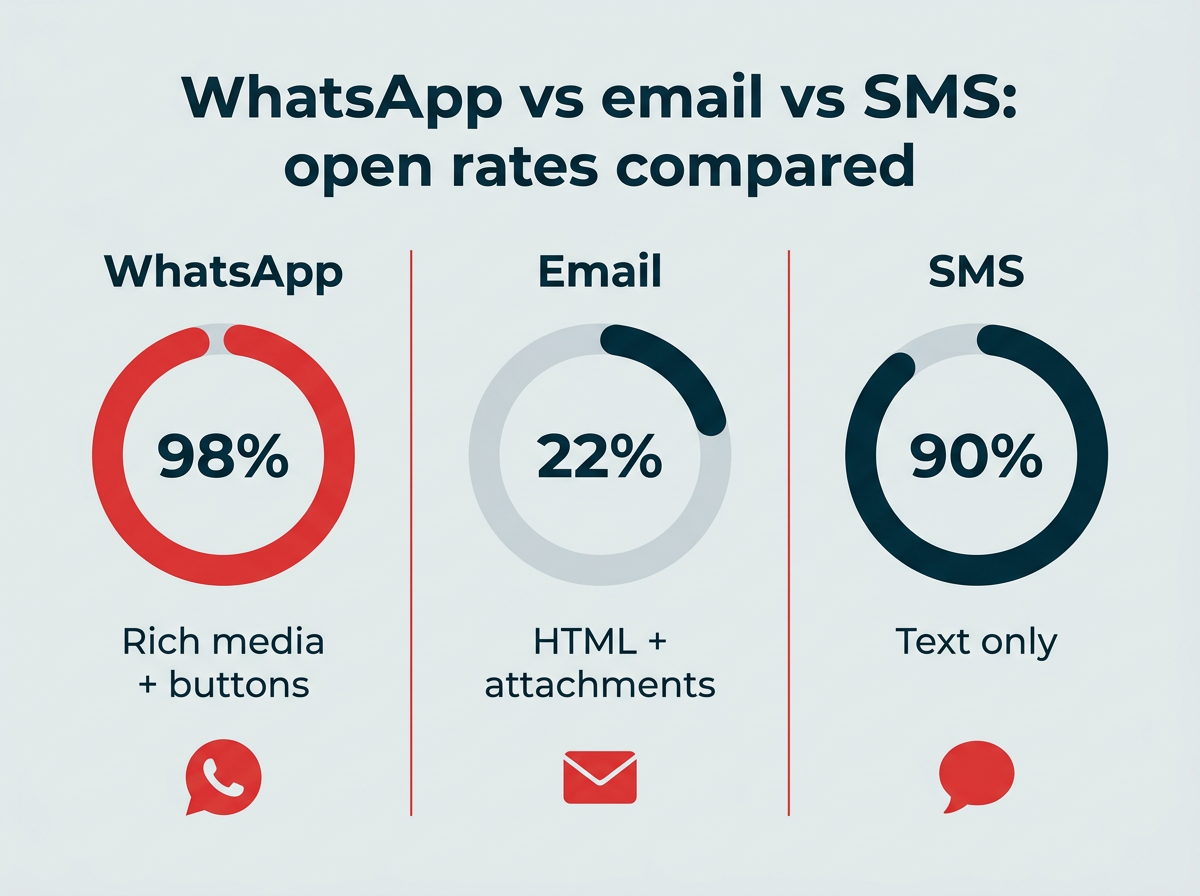
WhatsApp vs email vs SMS: open rates compared
What types of WhatsApp marketing messages can you send?
WhatsApp supports several message categories, each suited to a different stage of the customer journey. Here’s a quick overview:
- Promotional and awareness messages: Product launches, seasonal offers, brand campaigns
- Conversational and automated messages: Chatbot flows, welcome sequences, appointment reminders
- Customer service messages: Quick replies, labels, away messages for support
- Product catalog messages: Browsable storefronts shared directly in chat
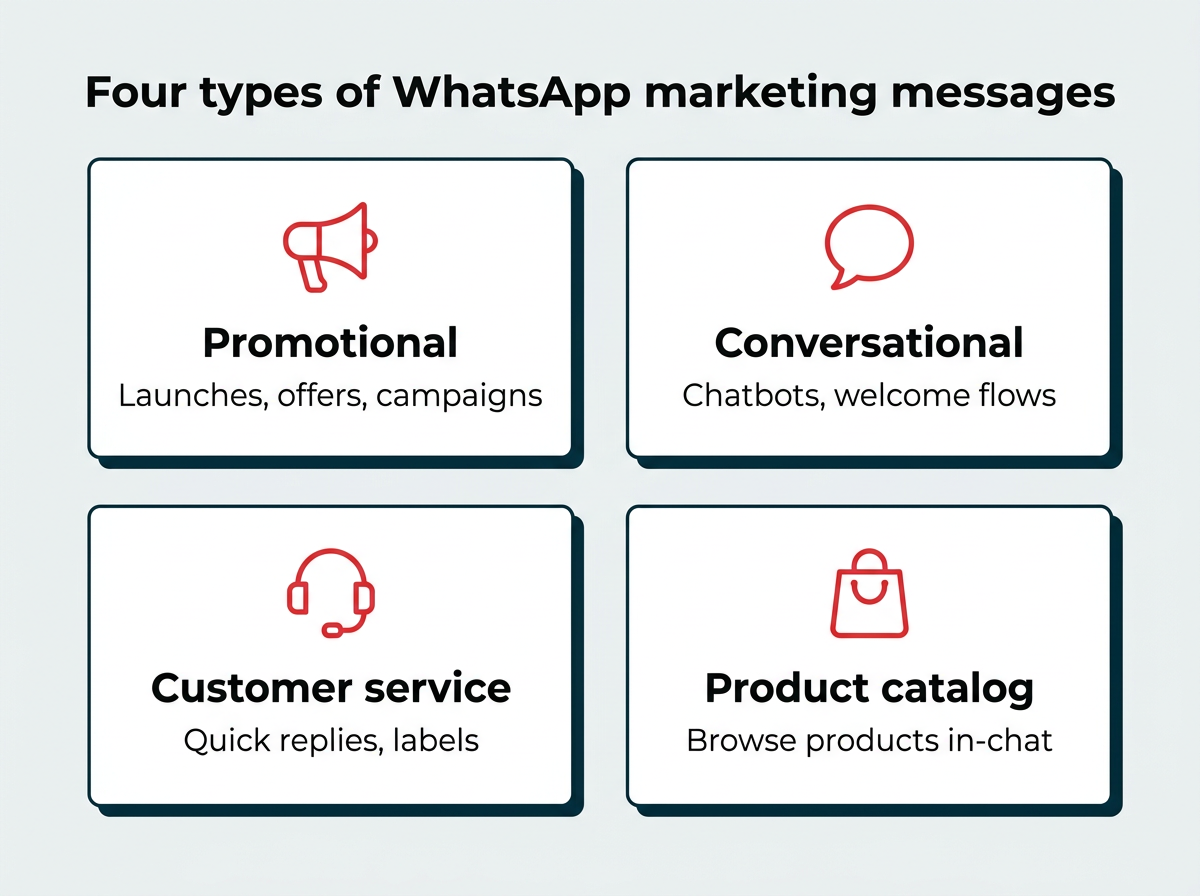
Four types of WhatsApp marketing messages
What are promotional and awareness messages?
Promotional and awareness messages are marketing communications that announce product updates, seasonal promotions, flash sales, and shipping notifications. If you’ve invested in SMS marketing, WhatsApp offers a similar direct-to-customer approach, but with richer media and no cost to the recipient.
You can send product updates, seasonal promotions, flash sale announcements, and shipping notifications through WhatsApp’s business tools. These messages land in a familiar, personal space, which is why they tend to outperform email and SMS on engagement.

Source: WhatsApp Business
What are conversational and automated messages?
Conversational and automated messages are pre-programmed flows that respond to customer actions or questions without manual intervention. Automation is where WhatsApp marketing really scales. WhatsApp’s integrated chatbots let you send pre-made answers to common questions, but you can also build more sophisticated flows.
Common automation use cases include:
- Welcome flows: Greet new subscribers and set expectations
- Abandoned cart recovery: Nudge customers back to complete a purchase
- Appointment reminders: Reduce no-shows with automated confirmations
- Post-purchase follow-up: Request reviews, share care instructions, or offer related products
Here’s an example of an automated product browsing experience:

Source: WhatsApp Business
What are customer service messages?
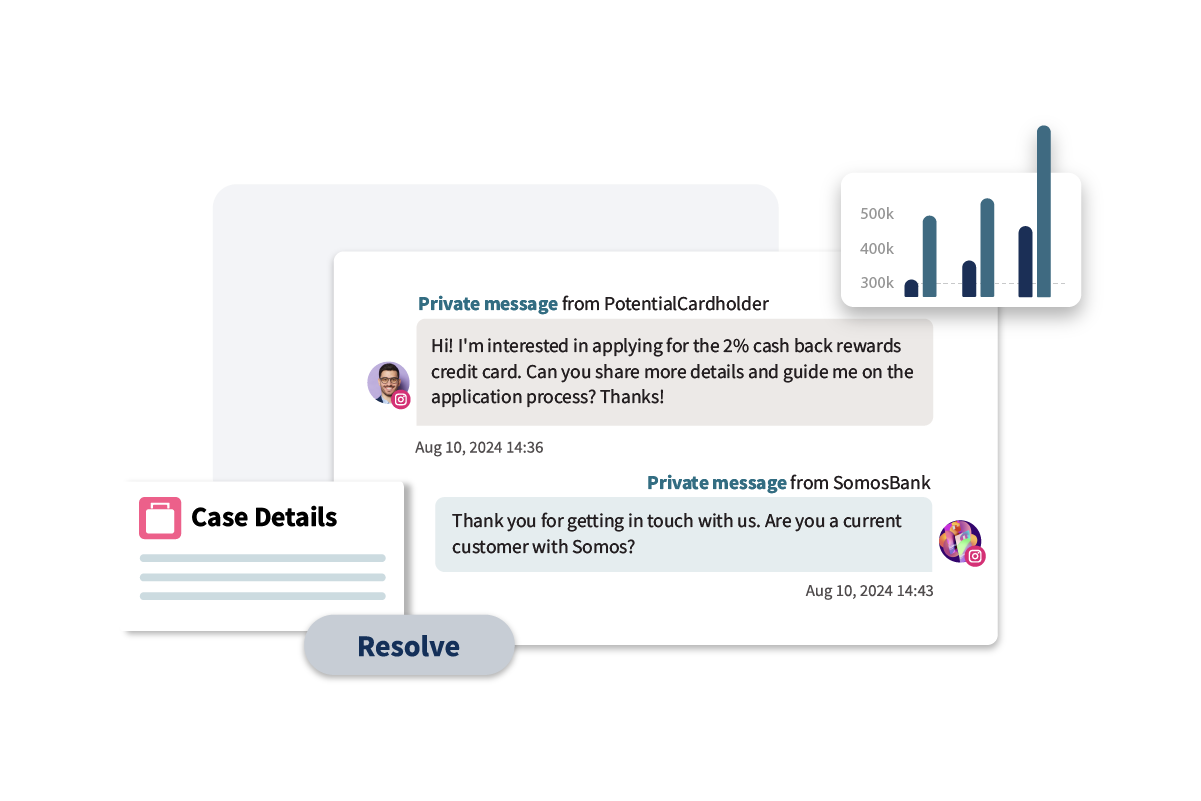
Customer service messages are support interactions that help you respond to customer inquiries efficiently and personally. With a WhatsApp Business account, you can make your social media customer service more efficient and personal. On top of direct messaging, WhatsApp Business has several built-in tools to improve customer experiences:
- Quick replies: Save answers to commonly asked questions as templates and set up shortcuts. This gives you back the time you would spend typing out the same answers repeatedly, and your customers get faster responses.
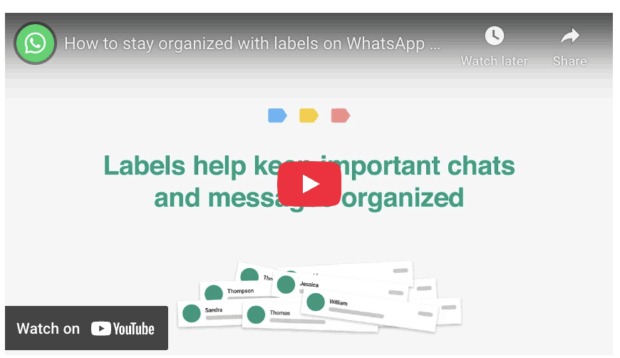
- Labels: Use labels to organize and categorize users and messages. This helps you sort messages by urgency and recognize returning customers. You can use pre-programmed labels or create new ones that make sense for your business.
- Away messages and greeting messages: Set up automated messages so your customer gets a response immediately, even if you’re unable to reply. This is a great way to set expectations for response times if a customer reaches out outside your business hours.
It doesn’t hurt that it’s easy and affordable to communicate with international customers via WhatsApp Business, either.
What are product catalog messages?
Product catalog messages are browsable collections of your products that customers can view directly within WhatsApp. You can think of WhatsApp Business’s catalog tool as a mobile storefront. It lets your customers browse your products without leaving the app, which reduces friction and can improve conversion rates.
This tool is useful for highlighting new products, seasonal collections, or bestsellers. Here are a few key facts about the catalog:
- You can upload a maximum of 500 products or services.
- Each product or service can include a title, price, description, product code, and link to the product on your website.
- Each product has an image.
- You can share links from the catalog in WhatsApp conversations.
How do you build a WhatsApp marketing strategy step by step?
Getting started with WhatsApp marketing involves more than just downloading an app. Here’s a six-step framework to build a strategy that scales:
- Set up your WhatsApp Business account
- Build your subscriber list with opt-in
- Segment your audience
- Create and submit message templates
- Launch and automate your campaigns
- Measure and optimize performance
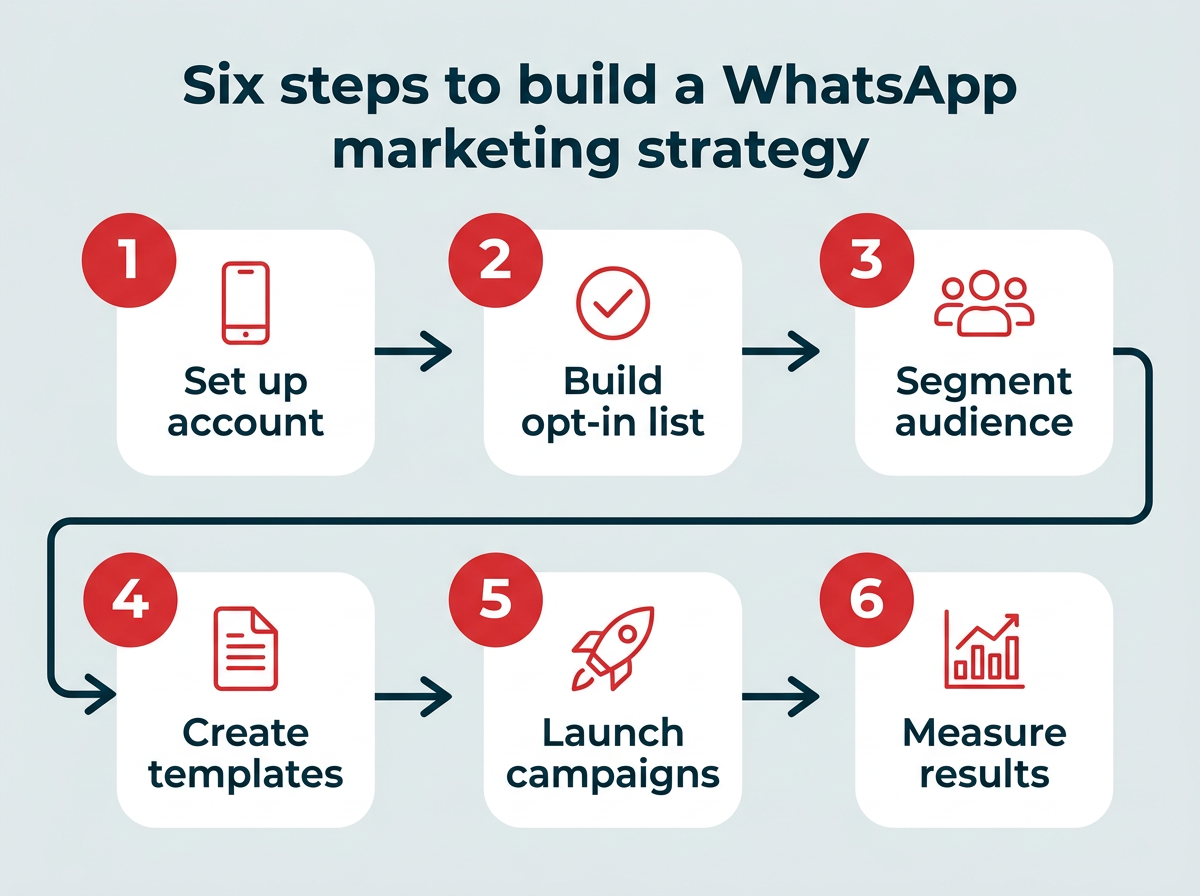
Six steps to build a WhatsApp marketing strategy
1. Set up your WhatsApp Business account
Before anything else, you need to decide which WhatsApp Business product is right for your company: the WhatsApp Business App or the WhatsApp Business Platform (API).
WhatsApp Business App
The WhatsApp Business App works just like the regular consumer messaging app, but it allows small businesses to message customers 1-on-1 about customer service issues, appointments, and more. Unlike the consumer app, the business app supports up to five people using the same account to respond to messages.
If you’ve got a smaller team and want to get started immediately, the business app is a solid choice. Head to the App Store or Google Play Store to download it onto your smartphone.

Set the app up with your business phone number (yes, even if it’s a landline) so you can start messaging directly from the number already associated with your business. Add your business name, then make sure your customers know they can message you on WhatsApp.
WhatsApp Business Platform (API)
The WhatsApp Business Platform is an API that businesses can use to integrate WhatsApp with their CRMs, bots, and other tools to create automations, promotional messages, and more. Most of the examples in this article use the Business Platform.
If your company has the resources, the advanced conversational tools available on the Platform might be the right fit.
To get started, head to business.whatsapp.com and click the Get Started button in the top right corner.

Fill out the form to be contacted by a member of the WhatsApp sales team. They’ll walk you through everything you can do with the Platform, discuss your planned usage, and get you set up with an account.
Here’s how the two options compare:
|
Feature |
WhatsApp Business App |
WhatsApp Business Platform (API) |
|---|---|---|
|
Cost |
Free |
Per-message fees (varies by template category, volume tier, and country) |
|
Team size |
Up to 5 users |
Unlimited (via connected tools) |
|
Automation |
Basic (away messages, quick replies) |
Advanced (chatbot flows, CRM triggers, welcome sequences) |
|
CRM integration |
No |
Yes |
|
Message volume |
Low to moderate |
High volume at scale |
|
Product catalog |
Yes |
Yes |
|
Analytics |
Basic |
Advanced (via API or connected tools) |
|
Best for |
Small businesses, solo operators |
Mid-size to enterprise teams, high-volume messaging |
2. Build your subscriber list with opt-in
WhatsApp requires explicit user consent before you can send marketing messages. This isn’t optional; it’s a platform policy enforced by Meta.
There are several effective ways to build your opt-in list:
- Click-to-WhatsApp ads: Run ads on Facebook and Instagram that open a WhatsApp conversation when clicked
- Website widgets: Add a WhatsApp chat button or opt-in form to your site
- QR codes: Place scannable codes on packaging, receipts, in-store signage, or event materials
- Social media CTAs: Promote your WhatsApp number in your bios and posts
- Email opt-in prompts: Invite existing email subscribers to join your WhatsApp list for faster updates
The key is to make the value clear. Tell people what they’ll get (exclusive deals, faster support, order updates) so they have a reason to opt in.
3. Segment your audience
Not every subscriber wants the same messages. Use WhatsApp’s Labels feature, along with CRM data if you’re on the Business Platform, to group contacts by purchase history, interests, location, or engagement level.
Segmentation lets you send more relevant messages, which leads to higher engagement and fewer opt-outs. Even basic segments like “new subscribers,” “repeat customers,” and “inactive contacts” can make a meaningful difference.
4. Create and submit message templates
If you’re using the WhatsApp Business Platform, you’ll need to create message templates and submit them to Meta for approval before sending outbound marketing messages. This applies to any message you initiate outside of a 24-hour customer service window.
Templates can include text, images, videos, documents, and interactive buttons. A few tips for getting templates approved:
- Avoid vague or overly promotional language
- Include a clear opt-out option
- Use placeholder variables for personalization (like customer name or order number)
- Follow Meta’s content policies closely
Template approval typically takes a few minutes to a few hours, but plan ahead in case revisions are needed.
5. Launch and automate your campaigns
Once your templates are approved and your audience is segmented, you’re ready to launch. Start with a simple campaign, like a welcome sequence for new subscribers or a promotional blast for an upcoming sale, and build from there.
Automation is where the real efficiency gains come in. Connect WhatsApp to your CRM or marketing platform to trigger messages based on customer actions, like a cart abandonment reminder or a post-purchase thank you. The Business Platform supports complex chatbot flows that can handle multi-step conversations without human intervention.
6. Measure and optimize performance
You can’t improve what you don’t measure. Track these key metrics to understand how your WhatsApp marketing is performing:
- Delivery rate: Percentage of messages successfully delivered
- Open rate: Percentage of delivered messages that were read
- Click-through rate: Percentage of recipients who clicked a link or button
- Response rate: Percentage of recipients who replied
- Conversion rate: Percentage of recipients who completed a desired action
- Opt-out rate: Percentage of recipients who unsubscribed
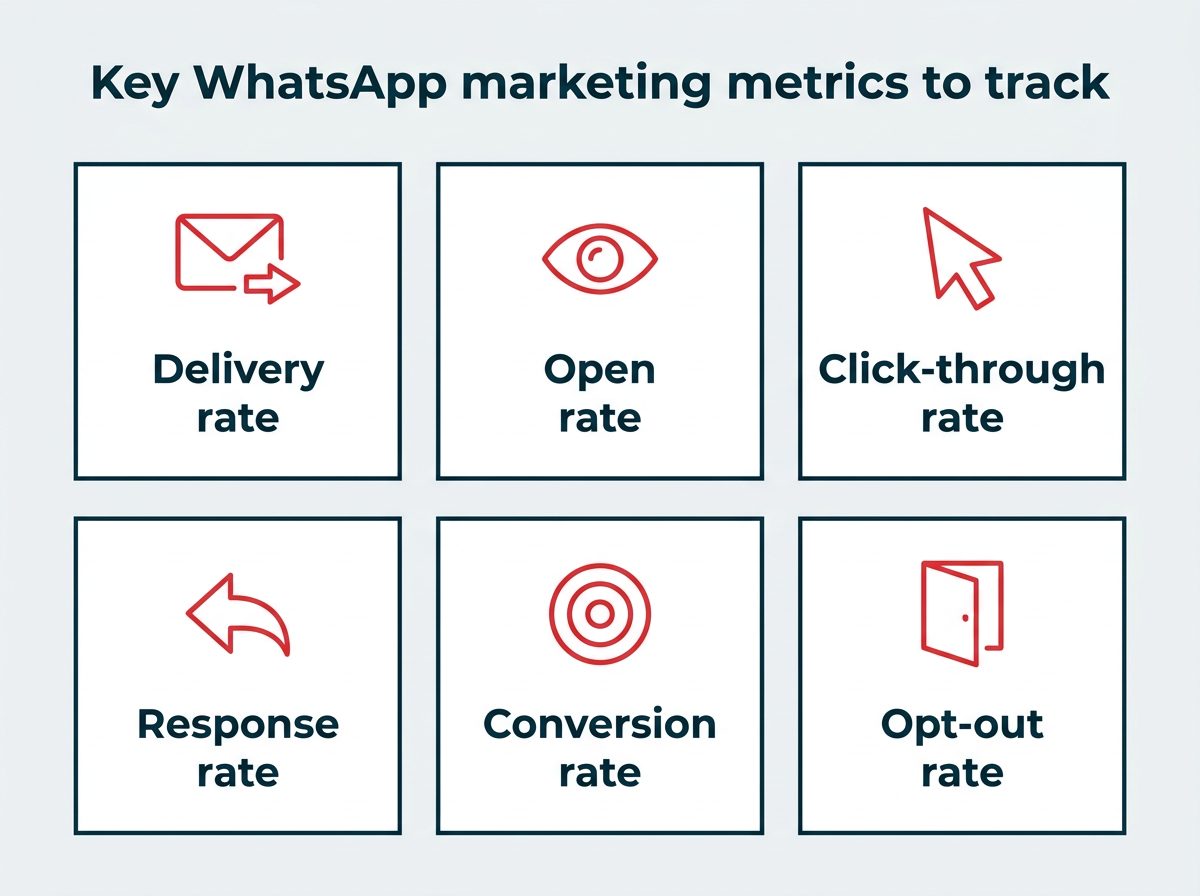
Key WhatsApp marketing metrics to track
WhatsApp’s built-in analytics cover the basics, but a social media management platform like Hootsuite can centralize your reporting across WhatsApp and every other channel you manage.
What are the best practices for WhatsApp marketing?
The best practices for WhatsApp marketing include getting explicit opt-in, respecting message frequency, personalizing your messages, and using rich media to keep your audience engaged.
- Get explicit opt-in: Never message someone who hasn’t consented. WhatsApp enforces this, and violating it can get your account restricted or banned.
- Respect message frequency: Just because someone opted in doesn’t mean they want daily messages. Start conservatively and adjust based on engagement and opt-out rates.
- Personalize your messages: Use customer names, reference past purchases, and tailor content to segments. Generic blasts feel like spam.
- Use rich media: Take advantage of images, videos, and interactive buttons. A product photo or short video can dramatically increase engagement compared to plain text.
- Keep messages concise: WhatsApp is a messaging app, not an email newsletter. Get to the point quickly and make the next step obvious.
- Provide an easy opt-out: Make it simple for people to unsubscribe. This builds trust and keeps your list healthy.
- Test and iterate: Experiment with different message formats, send times, and CTAs. Track what drives the best results and refine your approach over time.
You can also add personality to your messages with WhatsApp emoji, but use them strategically and in line with your brand voice. Following these best practices will help you build trust, drive engagement, and avoid account restrictions.
What are some WhatsApp marketing examples from real brands?
Wondering what WhatsApp marketing looks like in practice? Here are three brands that have used it to drive real, measurable results.
How does Benefit Cosmetics use WhatsApp marketing?
Benefit Cosmetics used the WhatsApp Business Platform to create a process that automates bookings for brow and lip waxes, sends appointment reminders, and offers additional customer service features.
WhatsApp makes it easy to send appointment reminders and info the client needs to remember for their appointment. If the client wants to modify or cancel their appointment, each message includes a link to the Benefit Cosmetics website.

Source: WhatsApp Business
Connecting this process to WhatsApp helped Benefit Cosmetics increase appointments by 30% and contribute to a 200% YoY increase in sales.
How does HolidayPirates use WhatsApp marketing?
HolidayPirates is an international travel company that finds and shares travel deals with its audience.
The team incorporated WhatsApp into this process, quizzing subscribers on the types of trips they’re interested in so they can send the most relevant offers possible.
Once the results are in, HolidayPirates sends links to deals through WhatsApp so recipients can find and book the deal if interested.

Source: WhatsApp Business
This strategy works for HolidayPirates: some of their WhatsApp messages achieve open rates as high as 97% and click-through rates as high as 40%, with significantly higher subscriber engagement than email.
How does The State Plate use WhatsApp marketing?
The State Plate is a food delivery company that operates throughout India. The company wanted to incorporate WhatsApp into its customer support strategy, making it easier to answer customer inquiries without requiring a hands-on approach.
The team uses several pre-set WhatsApp templates and messages so that customers can select their questions and get an immediate, automated answer.

Source: WhatsApp Business
Using WhatsApp allows the company to resolve 85% of its queries with a 90% decrease in response time.
What are the best WhatsApp marketing tools?
The best WhatsApp marketing tools include Hootsuite and the WhatsApp Business Platform’s native tools, which help you manage messaging at scale, especially when you’re juggling multiple social channels. Here are two options worth considering.
How does Hootsuite support WhatsApp marketing?
Hootsuite lets your team manage WhatsApp conversations alongside Facebook, Instagram, X/Twitter, LinkedIn, and more, all from a single inbox. You can assign conversations to different team members, track what you’ve already discussed with specific customers, and make sure no message goes unanswered.
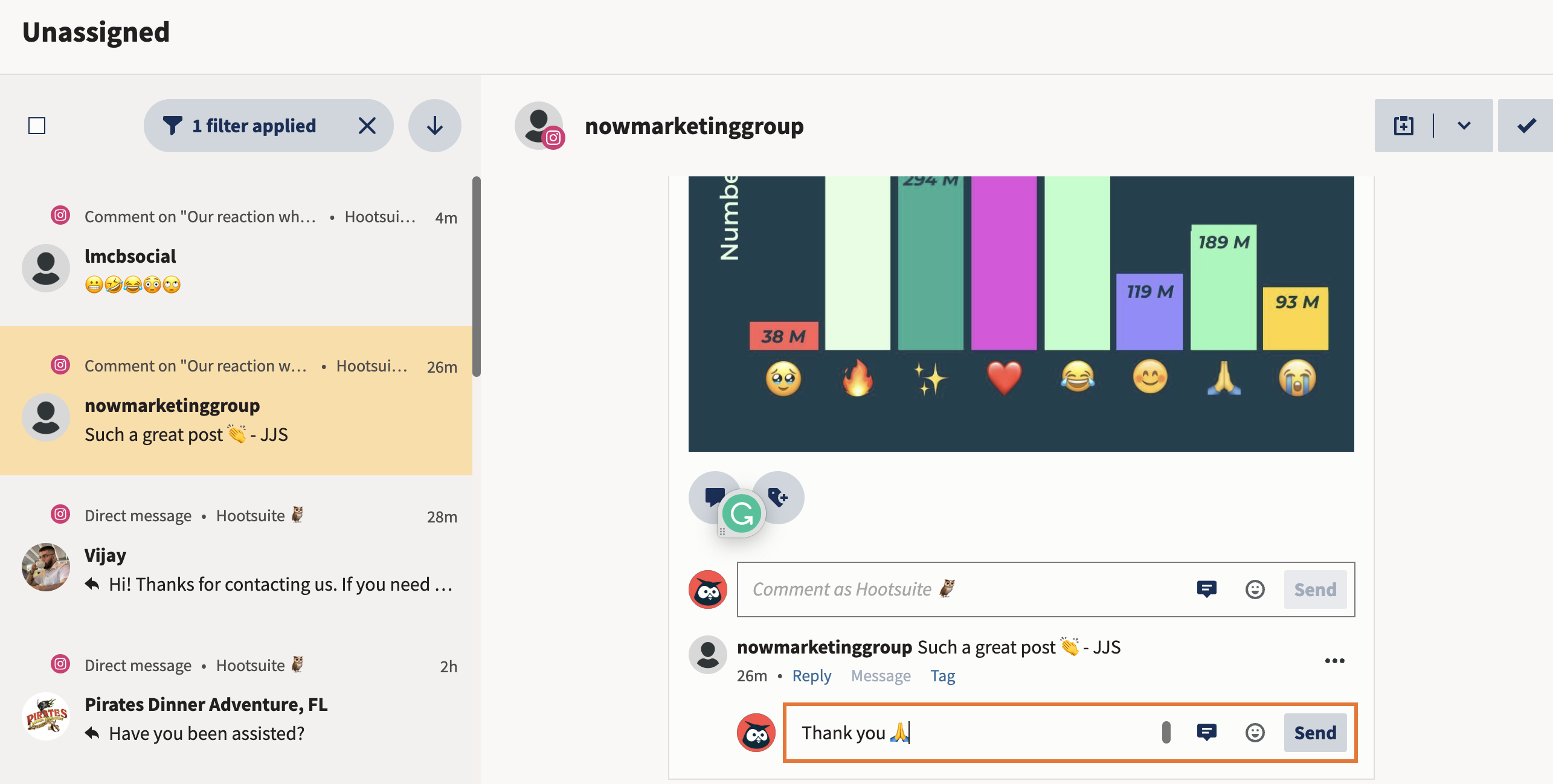

Want to add WhatsApp to Hootsuite? Here’s how to get started:
- First, make sure your business is verified on Meta. You’ll need to be verified to add a Business Account and number, so don’t skip this step. (If you need help, Meta’s got you covered.)
- Connect your WhatsApp Business Account to Hootsuite. If you don’t already have a WhatsApp Business Account, you’ll be prompted to create one.
- Provide and confirm a valid phone number for WhatsApp, then authorize Hootsuite’s access to your account.
- Click Finish and you’re done. As soon as the WhatsApp channel has been successfully connected, messages will automatically start coming into your Hootsuite Inbox.
Note: As of November 1, 2024, Meta made all service (user-initiated) conversations free with no monthly cap. Marketing, utility, and authentication template messages are charged per message based on category and recipient country, so you’ll need to add a payment method to send these. See Meta’s WhatsApp Business Platform pricing for current rates.
What native tools does the WhatsApp Business Platform offer?
Even without a third-party tool, the WhatsApp Business Platform includes a solid set of native capabilities. You can create and manage message templates, set up basic chatbot flows, manage your product catalog, and access conversation-level analytics directly through the Meta Business Suite.
For teams just getting started, these native tools cover the essentials. But as your messaging volume grows and you need to manage WhatsApp alongside other social channels, a platform like Hootsuite makes it much easier to keep everything organized in one place.
With files from Karin Olafson.
Frequently asked questions
What is WhatsApp marketing?
How can WhatsApp be used for marketing?
Save time managing your social media marketing strategy with Hootsuite. Publish and schedule posts, find relevant conversions, measure results, and more — all from one dashboard. Try it free today.
The post WhatsApp marketing: How to build a 2026 strategy appeared first on Social Media Marketing & Management Dashboard.