
Flows are massive. You’re sitting there with a business requirement, staring at that “New Flow” screen, and you don’t know which flow type to choose. It can be intimidating, for sure. You may choose a flow type and start to build it, only to find out partway through that the flow type won’t work. Now, you have the task of copying and pasting all your configuration work from the original flow type to another flow type. What a time-sink! Many of us flow builders have been there and can definitely relate (myself included).
I’m here to help demystify flow types with this guide that you can use as your compass. But first, let’s level set. I’m not going to teach you how to build flows here. Instead, I’ll help you determine which “flow road” to take. The primary difference between flow types is the trigger event: “What tells the flow to start?” If you can answer that question about your business requirement, you know which flow type to choose.
While there’s a growing list of flow types, I’ll focus on the most common ones to get you most of the way there. For each flow type, I’ll cover the trigger (when does it start?), the role (what is its job?), and how you can go deeper.
Screen flow
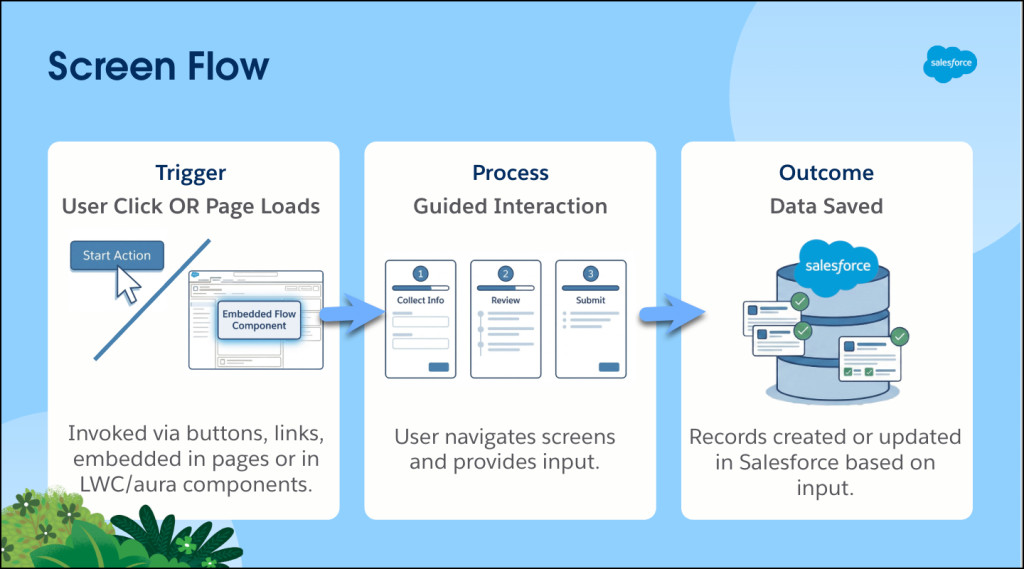
The Trigger: User interaction (clicks a button or a link), or is invoked from a Lightning page, Experience cloud site, or within a Lightning web component or Aura component
The Role: Digital guide. This replaces paper forms or long record pages. This is the only flow that interacts with or “talks” back to the user.
Deep dive into how to build a guided wizard or replace paper forms in my blog, What Is a Screen Flow?
Record-triggered flow
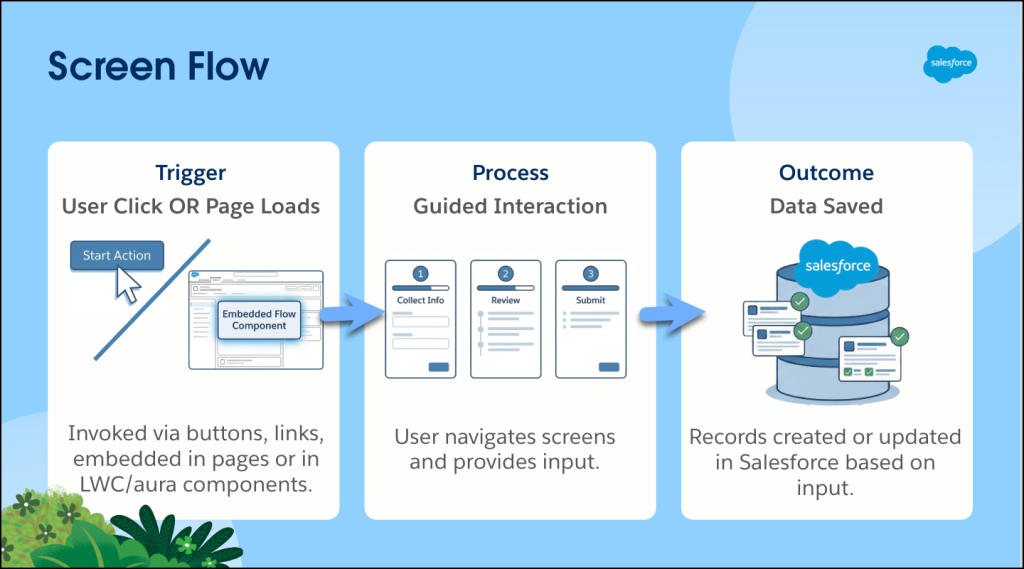
The Trigger: A record is created, updated, or deleted.
The Role: Immediate reactor. This is your modern replacement for legacy Process Builder and Workflow Rules. A record-triggered flow runs silently in the background the moment data changes that meets the criteria specified.
Need to automatically update fields or send an email when a record is saved? Check out What Is a Record-Triggered Flow?
Schedule-triggered flow
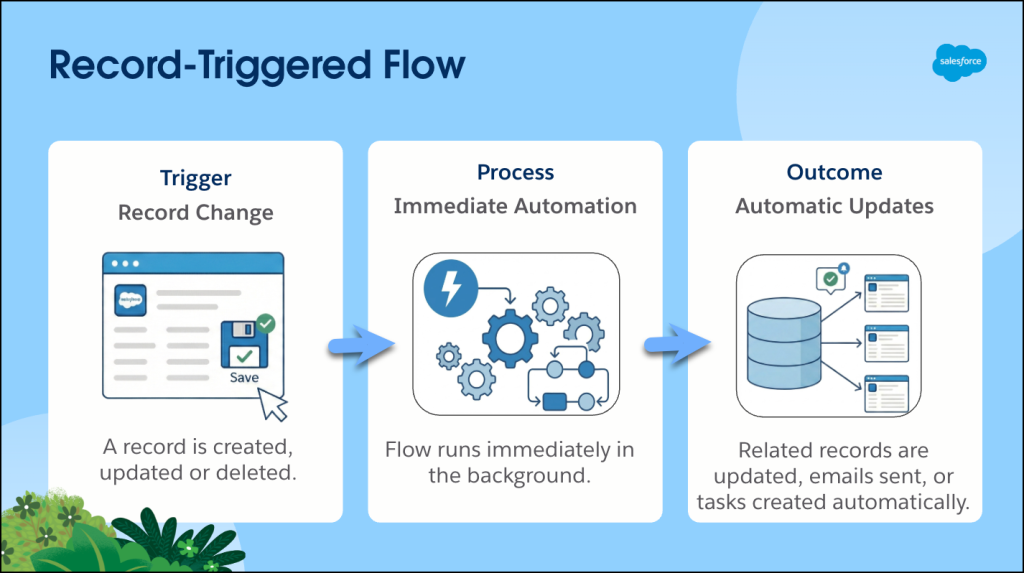
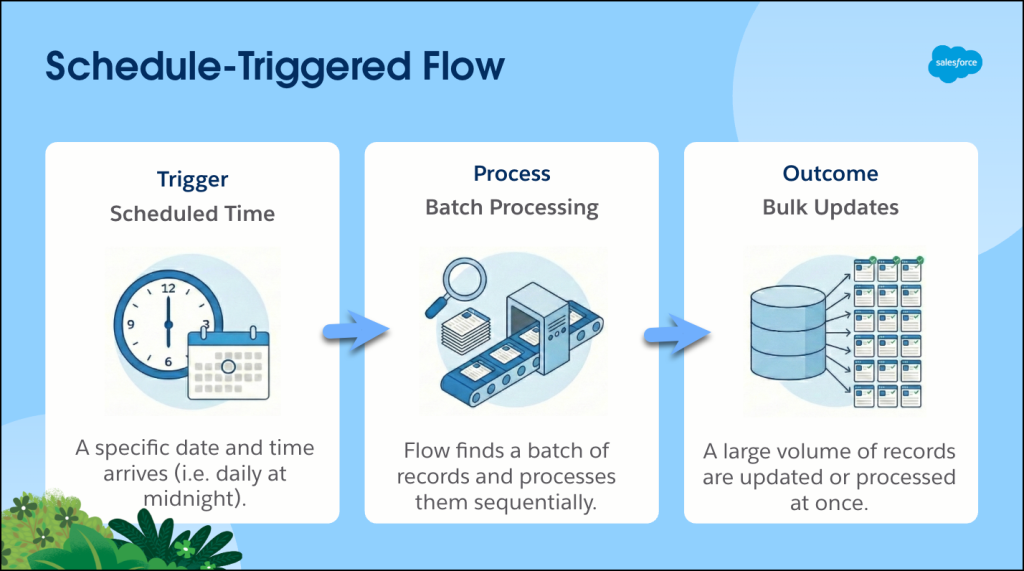
The Trigger: Time and frequency (run once, daily, or weekly)
The Role: Batch processor. It handles routine maintenance, like updating contact addresses when the account address updates all at once, so you don’t have to make the updates manually.
Want to automate routine tasks like birthday emails or data cleanup? Learn What Is a Schedule-Triggered Flow?
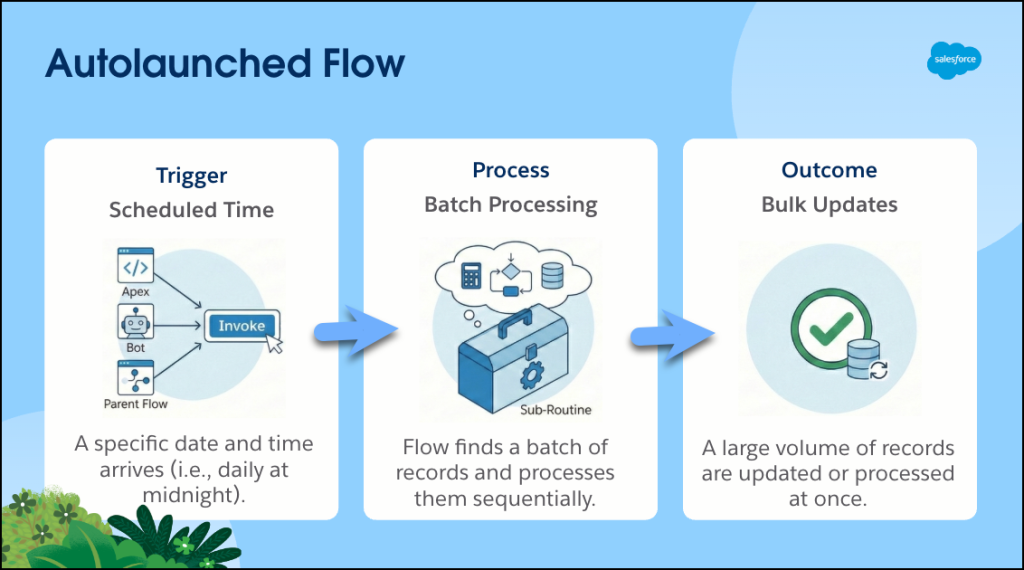
Autolaunched flow
The Trigger: Autolaunched by another automation. It doesn’t start itself; it waits to be invoked from a button, Apex, another flow, an agent, etc.
The Role: Reusable modular automation that is self-contained. Think of this like the reusable modular process of boiling water, which can be called upon by a larger overarching process, such as making coffee or pasta, without needing to refine the steps every single time. Instead of building the same logic 10 times, you build and maintain it once—but leverage it multiple times. It’s all about working smarter, not harder.
Want to build reusable logic that you can plug into other automation? Check out What Is an Autolaunched Flow?
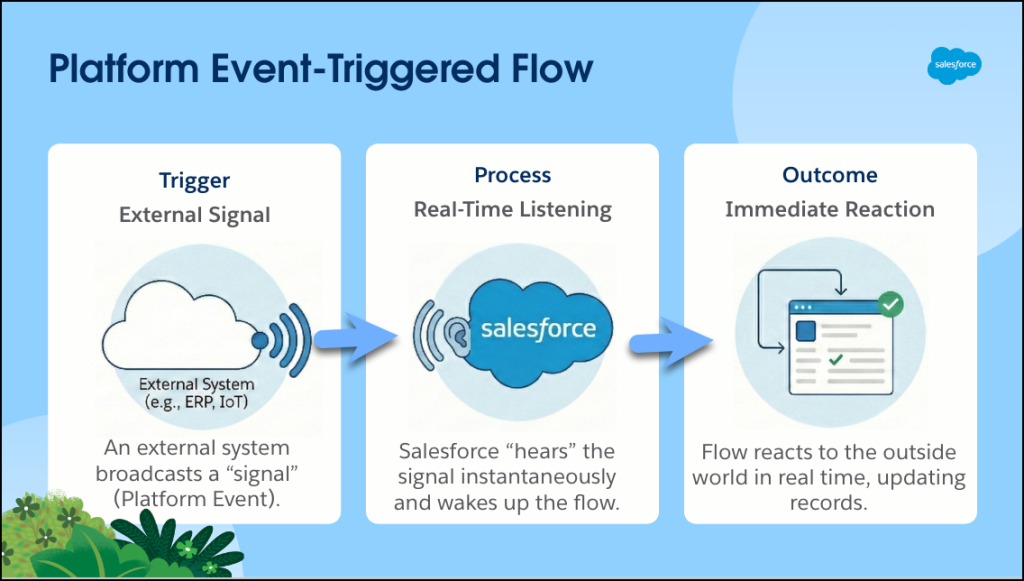
Platform event-triggered flow
The Trigger: A signal from the “outside world.” An external system like a printer or a smart watch sends a message to Salesforce.
The Role: The listener. The process waits for news from external systems and reacts immediately without the user needing to do anything.
Need Salesforce to react when an external system sends a signal? Learn how to subscribe to events by reading What Is a Platform Event-Triggered Flow?
Those are the most common flow types, but there are more. You might encounter these other flow types to meet your business requirements.
- Template-triggered prompt flow: These are launched from Prompt Builder to add prompt instructions to a specific prompt template.
- Orchestrations: A Flow Orchestration looks like a regular flow but behaves very differently as it pauses, waits, and assigns. Think of it as the traffic controller or project manager of flows. Orchestrator coordinates an entire process involving multiple users and multiple steps, assigning work (interactive steps) to specific users, pausing and waiting until they finish to move on to the next step. Orchestrations can be autolaunched or record-triggered.
- Approval processes: This is a modern process automation using Flow Orchestration that helps you create a multi-step, multi-user approval process. An approval process can be autolaunched or record-triggered.
- Data cloud-triggered flow: These are invoked when conditions of a Data 360 data model object (DMO) or calculated insight object (CIO) are met.
To learn more about these flow types, check out the Resources section.
Here’s a very simple summary table reinforcing our “Trigger” concept.
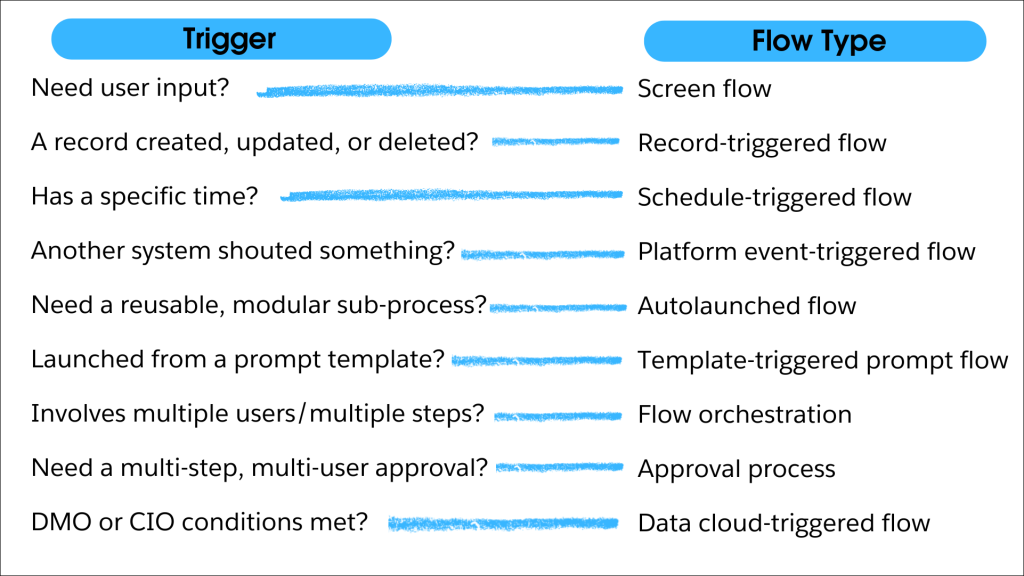
Choosing the right flow is more than just marking a technical checkbox. You’re creating the foundation of a clean, scalable Salesforce environment. The secret to navigating Flow Builder isn’t about knowing every single component by heart—it’s about confidently identifying your automation trigger. When you can accurately answer, “What tells this flow to start?”, you protect your most valuable asset: your time. By picking the correct “flow road” from the beginning, you eliminate the frustration of hitting a functional dead end and the tedious task of rebuilding your logic from scratch.
Whether you need a digital guide to talk to your users or a silent job to handle data in the background, keeping your focus on the automation trigger ensures that you build with intent. Next time you’re staring at that “New Flow” screen, don’t let the list of flow types intimidate you. Use this guide as your compass, pick your trigger, and build knowing you’re on the right path from the very first click in Flow Builder. Happy flow building!
Resources
- Salesforce Admins Blog: Mastering Prompt Builder and Flow Builder: Unleashing Agent Actions for Success
- Salesforce Admins Blog: Introducing Flow Orchestration: Unify Your Complex Business Processes Without Code
- External site: YouTube: Salesforce Flow Approvals Made Easy | Kate Clicks Through It
- Trailhead: Trigger Flows from Data 360
- Trailhead: Flow Orchestration Basics
- Trailhead: Quick Start: Create a Prompt Builder Flex Template
The post The Salesforce Admin’s Guide to Choosing the Right Flow appeared first on Salesforce Admins.

