
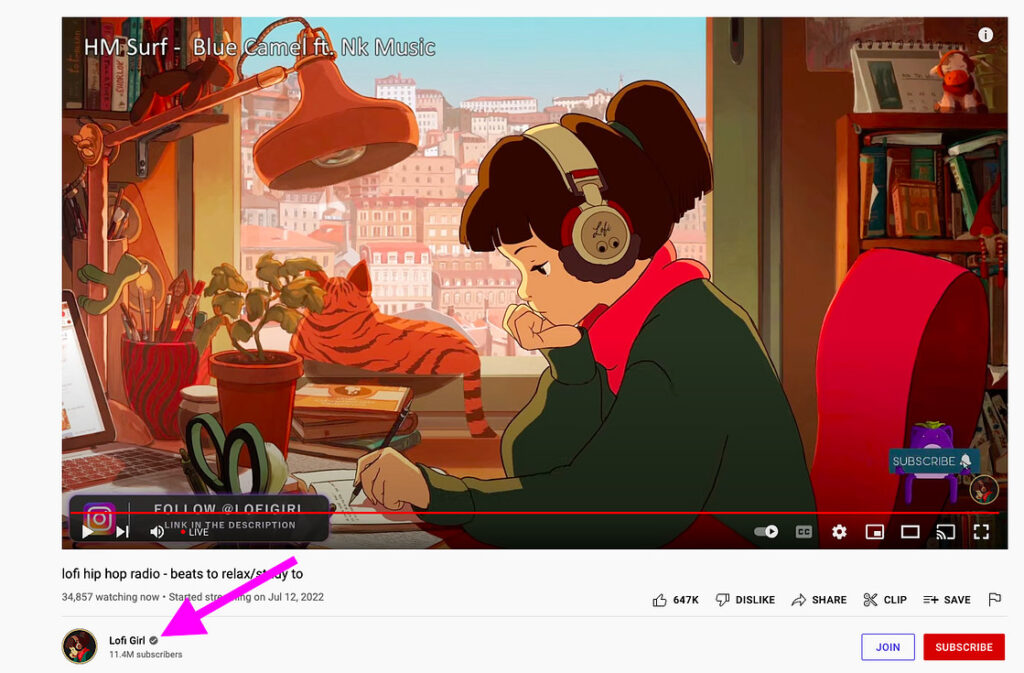
If you’re a YouTube creator or manager of a channel, you’re thinking about how to get verified on YouTube. YouTube channel verification gives you a badge next to your channel name, letting viewers know that they’re seeing the official version of your page. YouTube account verification also unlocks new features to increase your YouTube marketing strategy.
Getting verified on YouTube is simple, but you’ll need to meet a few requirements before you apply. In this post, we’ll explain what YouTube verification is, the benefits of getting verified and the steps you need to take to get verified on YouTube.
What is YouTube verification?
YouTube verification is the process that confirms your identity and authenticates your channel. There are two types: account verification (available to anyone via phone number) unlocks features like custom thumbnails and longer uploads, while channel verification (requires 100,000+ subscribers) grants you the verified badge. That checkmark next to your channel name signals authenticity to viewers.
What are the benefits of YouTube verification?
YouTube account verification and channel verification builds trust with your viewers. A verified badge shows that you’re an official channel or account, and it make viewers feel more confident that they’re seeing accurate information from a source they trust. Other benefits of YouTube verification include:
-
Upload longer videos: By default, you upload videos that are 15 minutes long, but verified accounts upload videos longer than 15 minutes.
-
Livestream on YouTube: To livestream, your channel needs to be verified and you need to have no live streaming restrictions in the past 90 days.
-
Add custom thumbnails to your videos: If you’re not verified, you only choose from thumbnails that YouTube automatically generates. If you’re verified, you may upload your own.
-
Appeal content ID claims: Content ID claims happen when your uploaded video matches all or part of another YouTube video. When you’re verified, you dispute these claims.
YouTube account verification vs. YouTube verification badge
YouTube offers two distinct verification types, each serving different purposes.
Account verification: This type of verification is available to anyone with a YouTube account in good standing. When you verify your account, YouTube will send a verification code to your phone. Once you enter the code, your account is verified. This verifies that you’re a real person and not a bot, and it unlocks some extra YouTube features.
Channel verification (YouTube verification badge): This type of verification is available to channels with 100,000 subscribers or more. To verify your channel, you’ll need to submit a verification form. YouTube will then review your channel and, if it meets the criteria, verify your channel. This gives your channel a verified badge, which helps build trust with your viewers.
|
Feature |
Account Verification |
Channel Verification (Badge) |
|---|---|---|
|
Eligibility |
Any YouTube account in good standing |
100,000+ subscribers (or well-known outside YouTube) |
|
Process |
Phone number verification code |
Application form submission and review |
|
Visual indicator |
None |
Checkmark badge next to channel name |
|
Primary benefit |
Unlocks platform features (custom thumbnails, longer videos, livestreaming) |
Builds viewer trust and authenticity |
|
Verification time |
Immediate |
2–4 weeks |
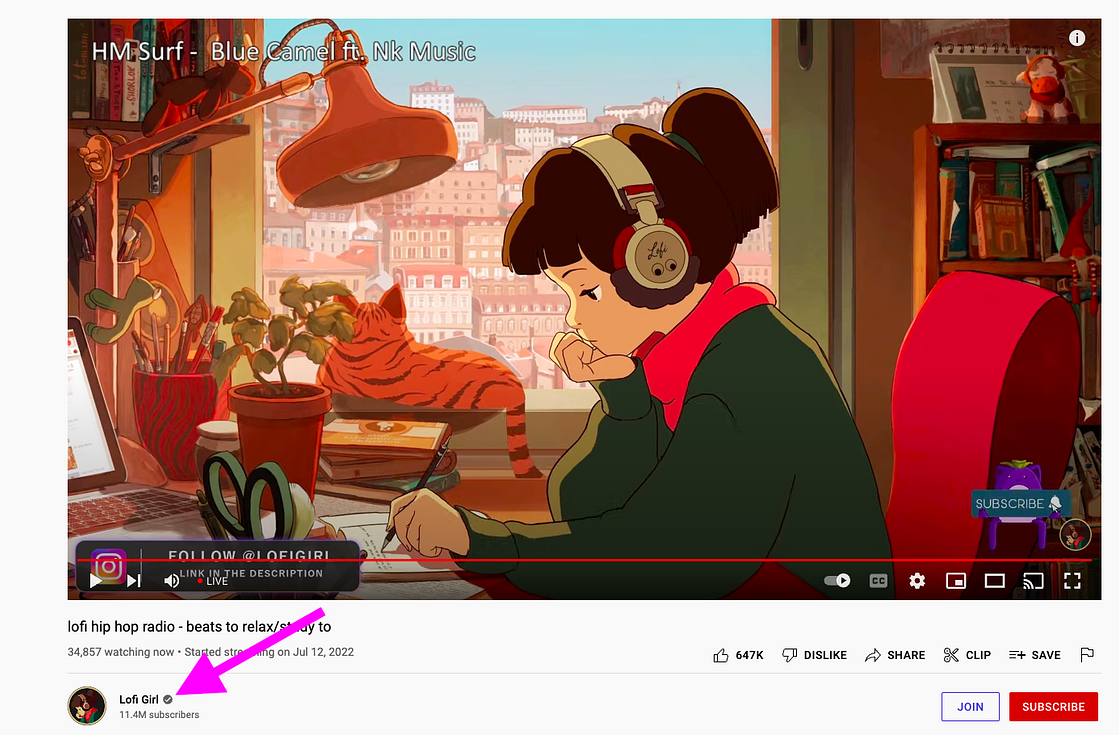
Who is eligible for YouTube verification?
To get a YouTube verification badge for your channel, you need to meet these eligibility requirements:
|
Requirement |
What YouTube Checks |
|---|---|
|
Complete profile |
Active channel with banner, description, profile picture and regular content uploads |
|
Authenticity |
Accurate identity, age, name—your channel represents who you claim to be |
|
Subscriber threshold |
100,000+ subscribers (exceptions for well-known entities outside YouTube) |
|
Channel age |
Established presence on the platform |
|
Content quality |
Consistent, high-quality content that follows Community Guidelines |
How to get verified on YouTube without 100,000 subscribers
It’s rare, but YouTube sometimes verifies a channel with fewer than 100,000 subscribers if it is “well-known outside of YouTube.” For example, YouTube sometimes verifies a musician’s channel that hasn’t built a large following on the platform if the artist is popular on other platforms.
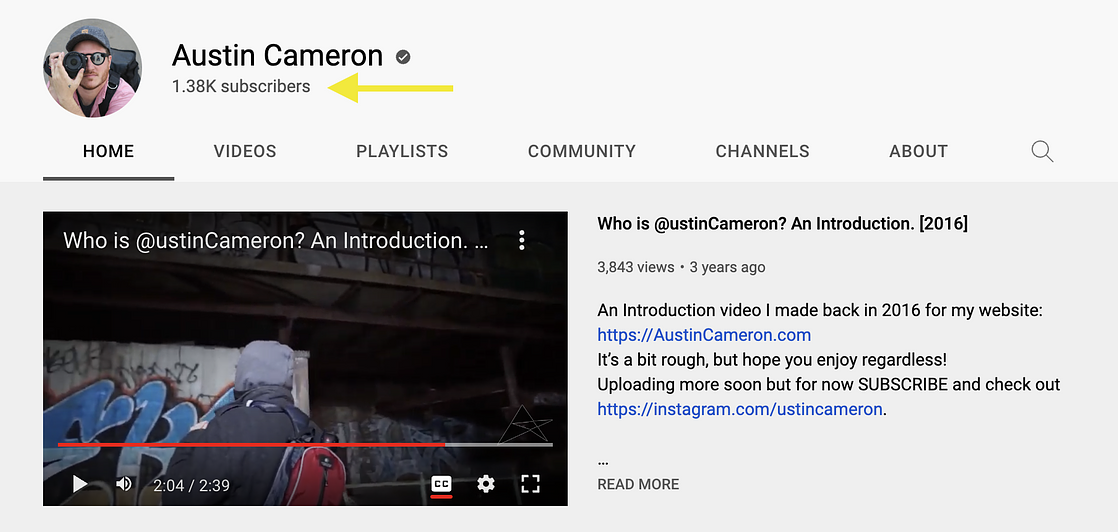
Contact YouTube if you need more information about this process.
Steps for verifying your YouTube account or channel
Account verification
Account verification on YouTube is easy. Go to YouTube.com/verify and enter your phone number. YouTube will send a verification number to your phone, and once you enter it in, you’re verified!
Channel verification
YouTube channel verification is a bit more complicated but still manageable. We’ve broken it down step-by-step to make sure you don’t get lost.
Step 1. Meet all of the requirements for YouTube verification.
Step 2. Fill out the channel verification application. If you’re already at 100,000 or more subscribers, congrats! You’re a star.
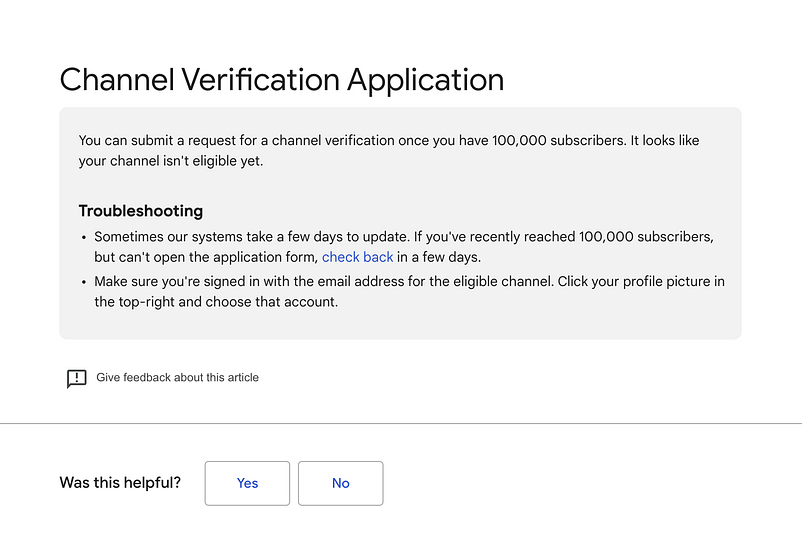
Step 3. Fill out the channel verification application. Fill out the application with your channel name and ID. Find your YouTube channel ID by clicking the link at the bottom of the application form or by going to Settings > Advanced Settings in your YouTube account.
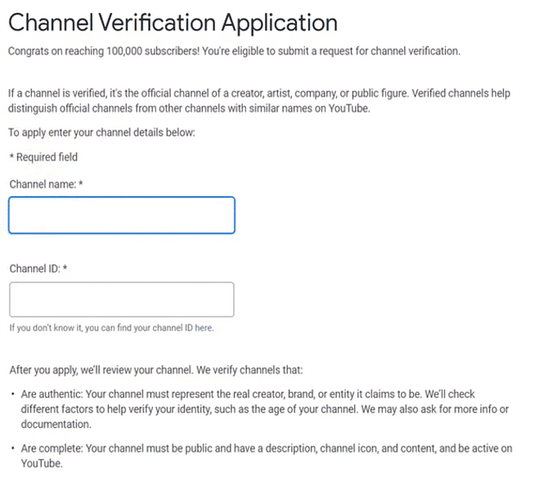
Step 4. Once you’ve completed the application, click Submit.YouTube will review your application and get back to you with a decision within a few weeks. YouTube considers the age of your channel, your identity, the content you create and your audience.
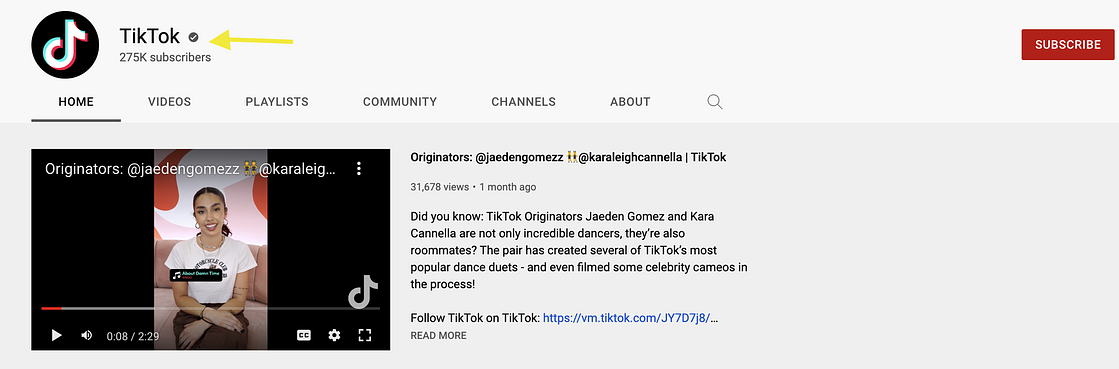
That’s all there is to it! If everything checks out, YouTube will grant you a coveted YouTube verification badge, which displays a check mark beside your channel name across the platform.
How long does YouTube verification take?
Once you submit your application, YouTube reviews verification applications within two to four weeks. This timeline varies based on application volume and the complexity of reviewing your specific channel.
Keep your channel active while you wait. Continue uploading high-quality content and engaging with your community. Don’t change your channel name, URL or handle during this period. This slows down the process or leads to rejection.
If you haven’t heard back after a month, check your email spam folder or log in to YouTube Studio for status updates.
How to maintain your YouTube channel verification
Protect your verification badge by following these rules:
-
Don’t violate the Terms of Service or Community Guidelines
-
Don’t change your channel name
-
Don’t delete your channel or change your URL
Violating these guidelines can result in YouTube taking away your verification badge.
7 tips to become eligible for YouTube verification
If you aren’t yet eligible for YouTube channel verification, here are some tips to support you in getting there:
-
Choose a great channel name: This is one of the first things people will see when they come to your channel, so make it count.
-
Use an eye-catching profile picture and cover photo: Make sure these are high-quality and on-brand.
-
Create top-notch video thumbnails: Thumbnails are like little ads for your videos. Make sure they’re attractive and tell viewers what to expect from your content.
-
Create interesting and shareable content: This is the most important thing you can do to grow your channel. If you make great videos, people will want to watch them, no matter what your subscriber count is.
-
Get involved in the YouTube community: Comment on other people’s videos, collaborate with other creators and participate in YouTube groups and forums.
-
Pay attention to YouTube SEO: This supports your videos in showing up more often in search results.
-
Be patient: Growing a successful YouTube channel takes time. If you keep at it and produce high-quality content, you’ll eventually achieve your goal of being verified.
Managing your verified YouTube channel with Sprout Social
Getting verified is a major milestone, but it’s just the beginning of your channel’s growth. Sprout Social supports you in managing your YouTube presence alongside your other social media platforms in one unified dashboard.
How Sprout Social amplifies your verified YouTube channel:
-
Unified Publishing: Schedule YouTube videos in the same calendar as Instagram, Facebook and LinkedIn content for perfectly synced cross-platform promotion
-
Smart Inbox: Manage the increased comment volume that comes with verification without missing engagement opportunities
-
Analytics & Reporting: Track subscriber growth, engagement rates and video performance to understand what content drives results
-
Presentation-Ready Reports: Demonstrate your verified channel’s ROI to stakeholders with custom, exportable reports
Start a free trial to see how Sprout Social scales your verified YouTube channel’s impact.
The post How to get verified on YouTube: Your complete guide for 2026 appeared first on Sprout Social.