
Welcome to our new blog and video series, Automate with Agentforce! Get ready to take your automation skills to the next level with the power of Salesforce, MuleSoft, and innovative AI with Agentforce. In each episode, we highlight real solutions built by Awesome Admin Trailblazers — just like you. Whether you’re just beginning your automation journey or you’re already a pro, Automate with Agentforce delivers practical tips and fresh inspiration to help you thoughtfully weave AI and Agentforce into your everyday workflows. In this episode, Brian Shea will explain a framework for building secure and compliant agents, using an example of a service agent to illustrate key concepts.
The challenge
Organizations are racing to build AI capabilities, but many are understandably apprehensive about ensuring their agents work in a predictable, secure, and compliant manner. The risks of non-compliant agents are well known: hallucinations, unexpected results, and inconsistent behavior. Security and compliance begin with setting clear expectations. Our job in building agents is to clearly define what we expect them to do, configure them to behave accordingly, and test them thoroughly to confirm those behaviors.
This blog provides a playbook for building secure and compliant AI agents.
The solution
The dimensions of a secure and compliant agent
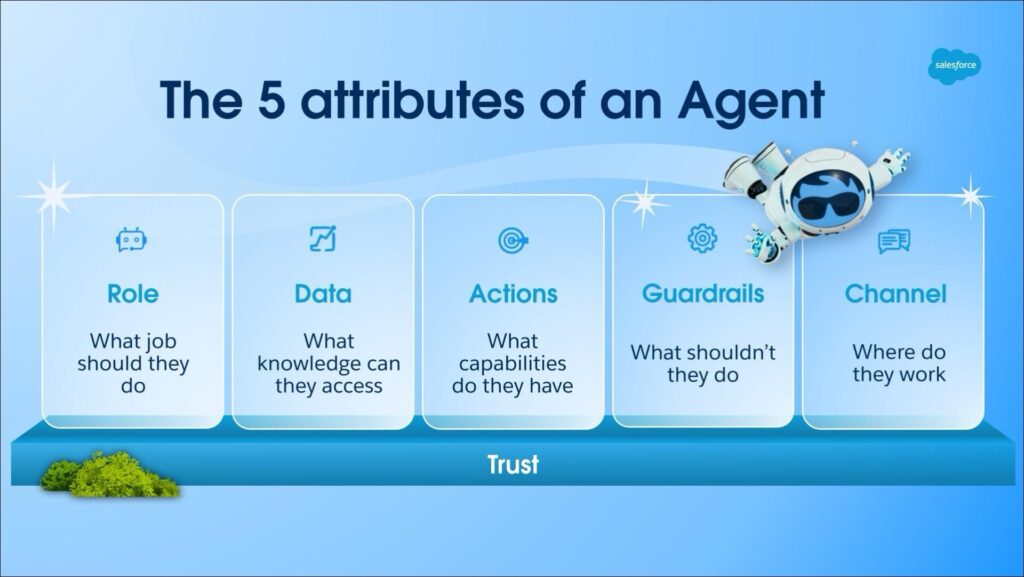
Salesforce defines the five attributes of agents as:
- Role: what What job should they do?
- Data: what knowledge and data can they access
- Actions: what capabilities do they have
- Guardrails: what shouldn’t they do
- Channels: where do they work and who has access to them
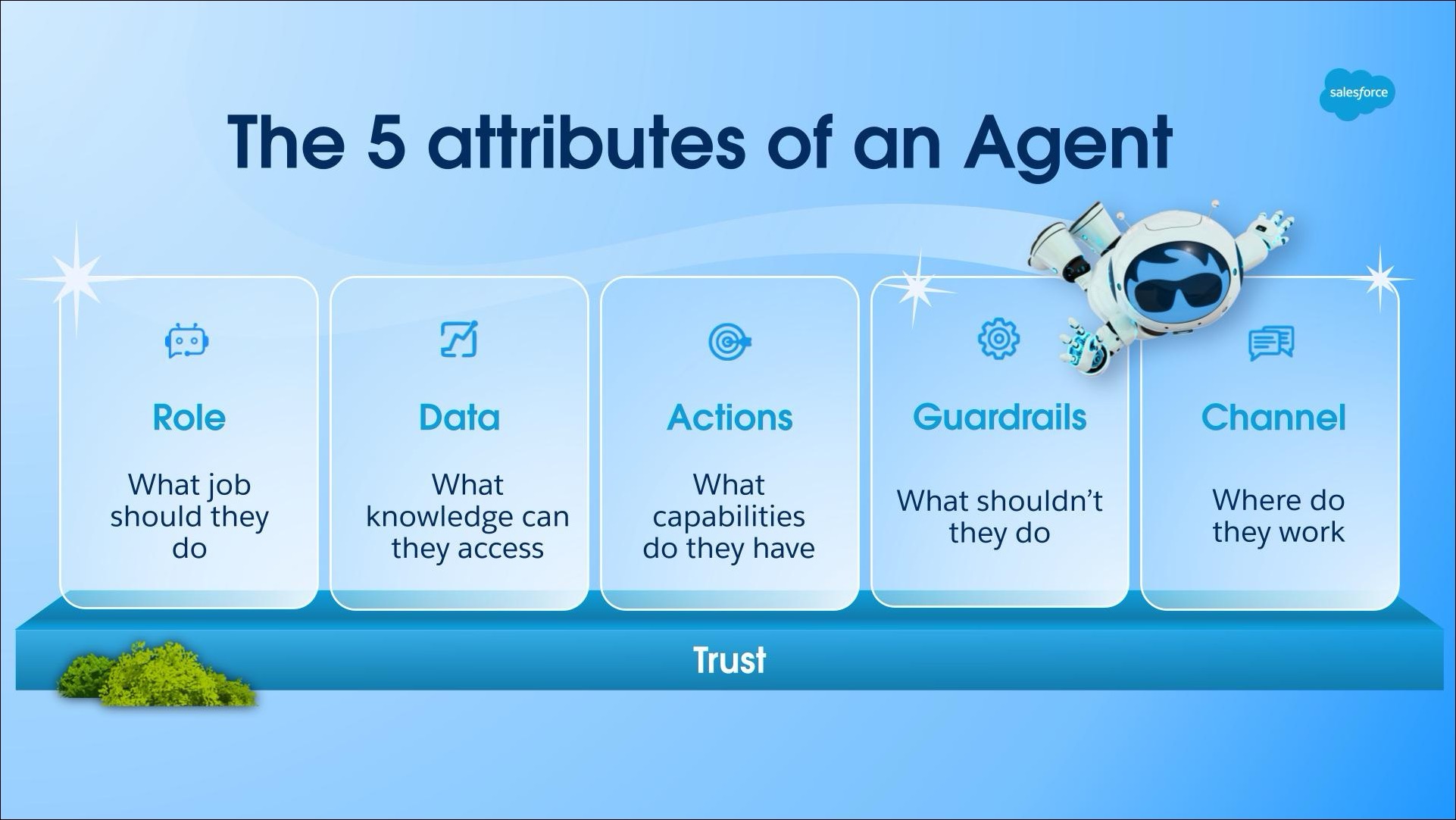
These five attributes provide a useful framework for defining exactly how we expect our agents to work. The graphic below includes additional questions you’ll want to answer when defining these attributes for your agents.
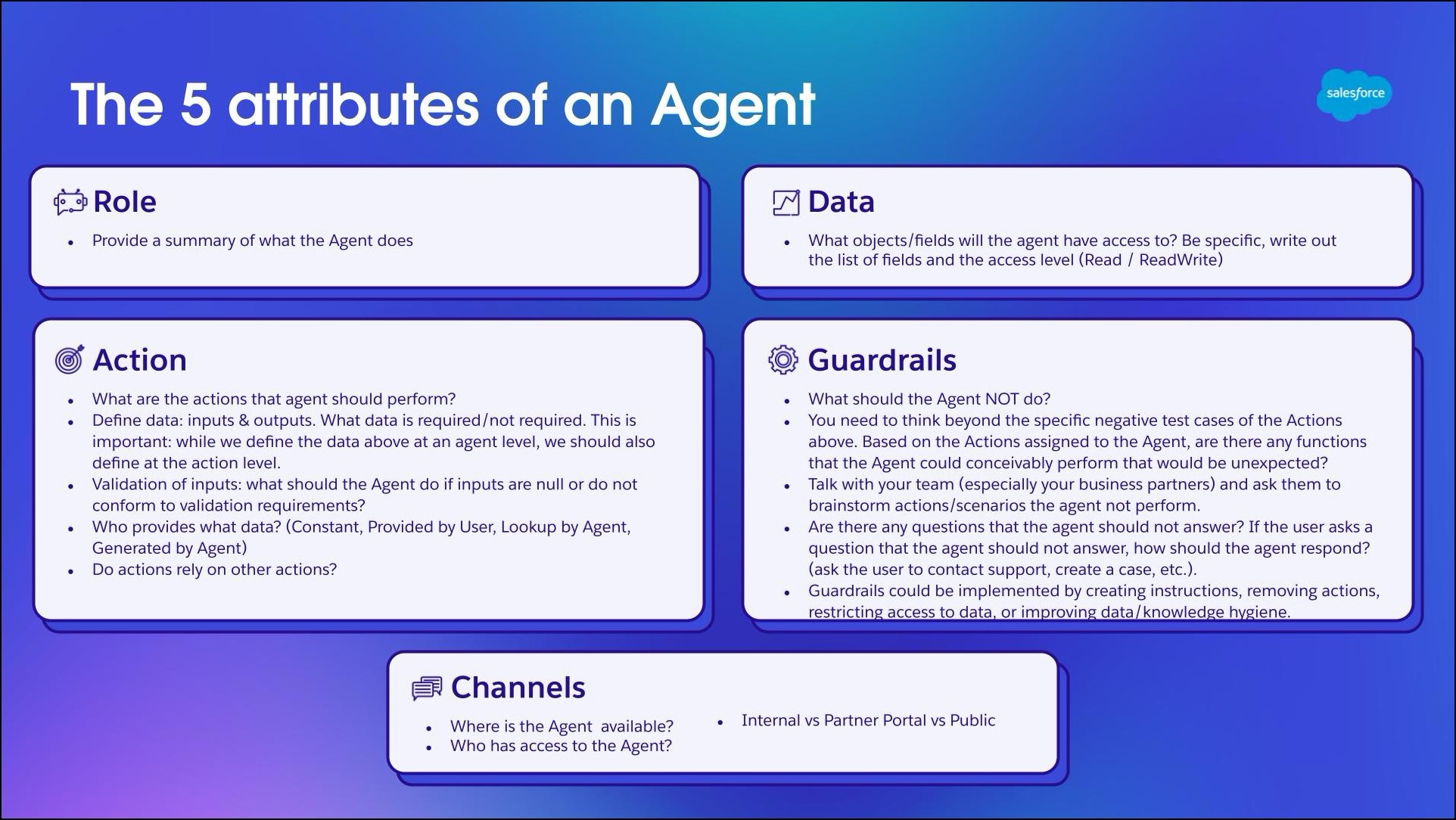
Example: Service AI agent
To illustrate how we can use the five attributes to define and configure our agents, we’ll build a simple service AI agent. This agent is used on a partner portal and will answer questions about the partner program and products. It will also create cases in scenarios when it’s not authorized to answer partners’ questions.
This table contains brief specifications of the agent according to the five attributes.
|
Dimension |
Requirements |
Configuration |
|
Role |
|
N/A |
|
Channel |
|
|
|
Data |
|
|
|
Actions |
|
Agent Actions |
|
Guardrails |
|
|
This agent is a simple example for illustrative purposes. For a real-world agent, you’ll likely need to define a longer specification than this. Also, you’ll have other artifacts, like process diagrams and data dictionaries, to help you build clear specifications.
A few points to call out:
- Data: In the Data row, we’ve specified the object and field-level access that the agent will have. Remember, agents have a user record and profile, similar to a traditional user in Salesforce. Make sure to adhere to the principle of least privilege — only give the agent access to the objects and fields it needs to do its job, and nothing more.
- Guardrails: We’ve specified the inputs required for the Create Case with Priority action. We’ve also specified where we expect the inputs to come from.
How it works
Here’s a short walkthrough of how the service agent will answer questions and create cases.
1. We ask the agent when the partner tiers are renewed each year.
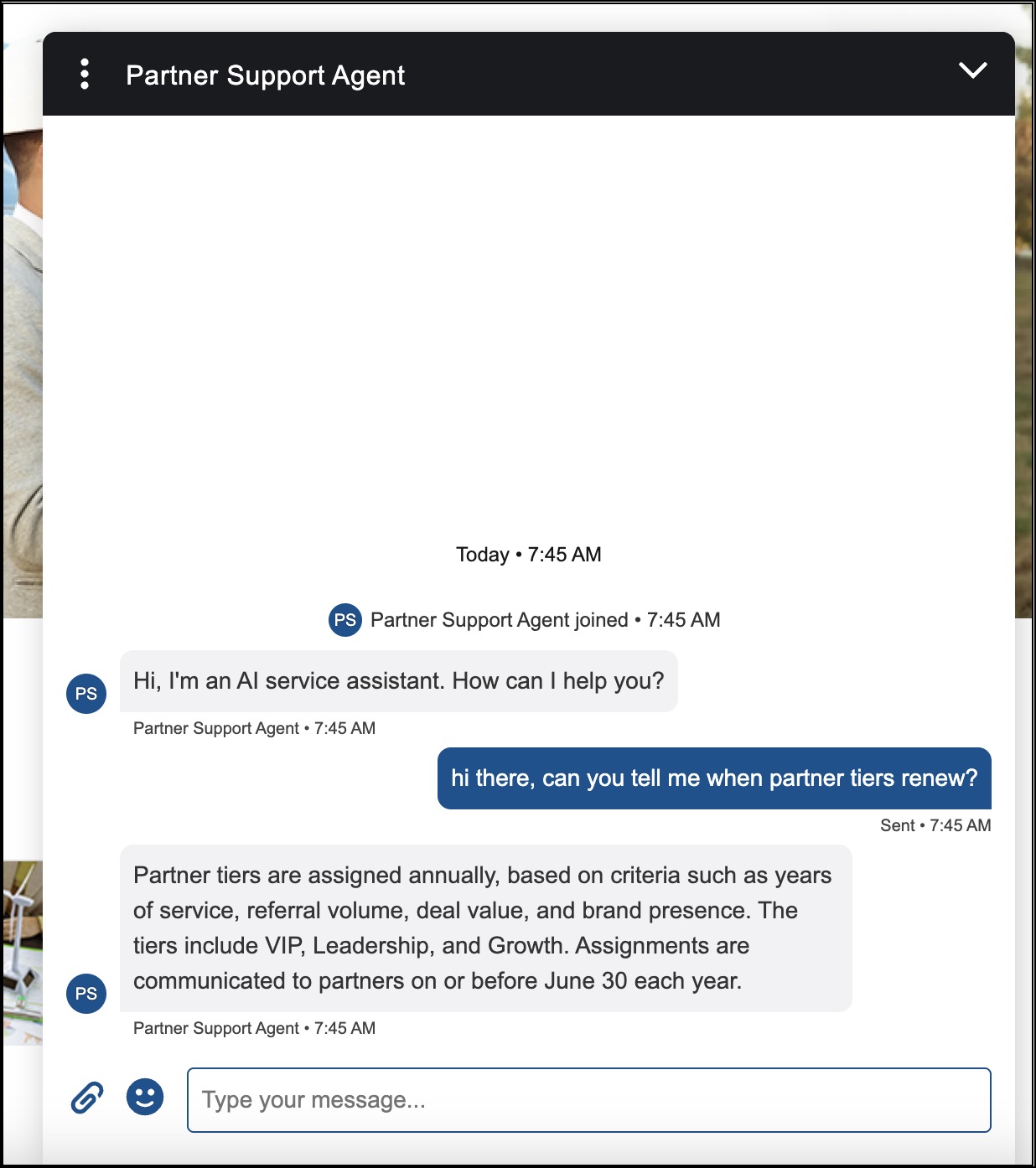
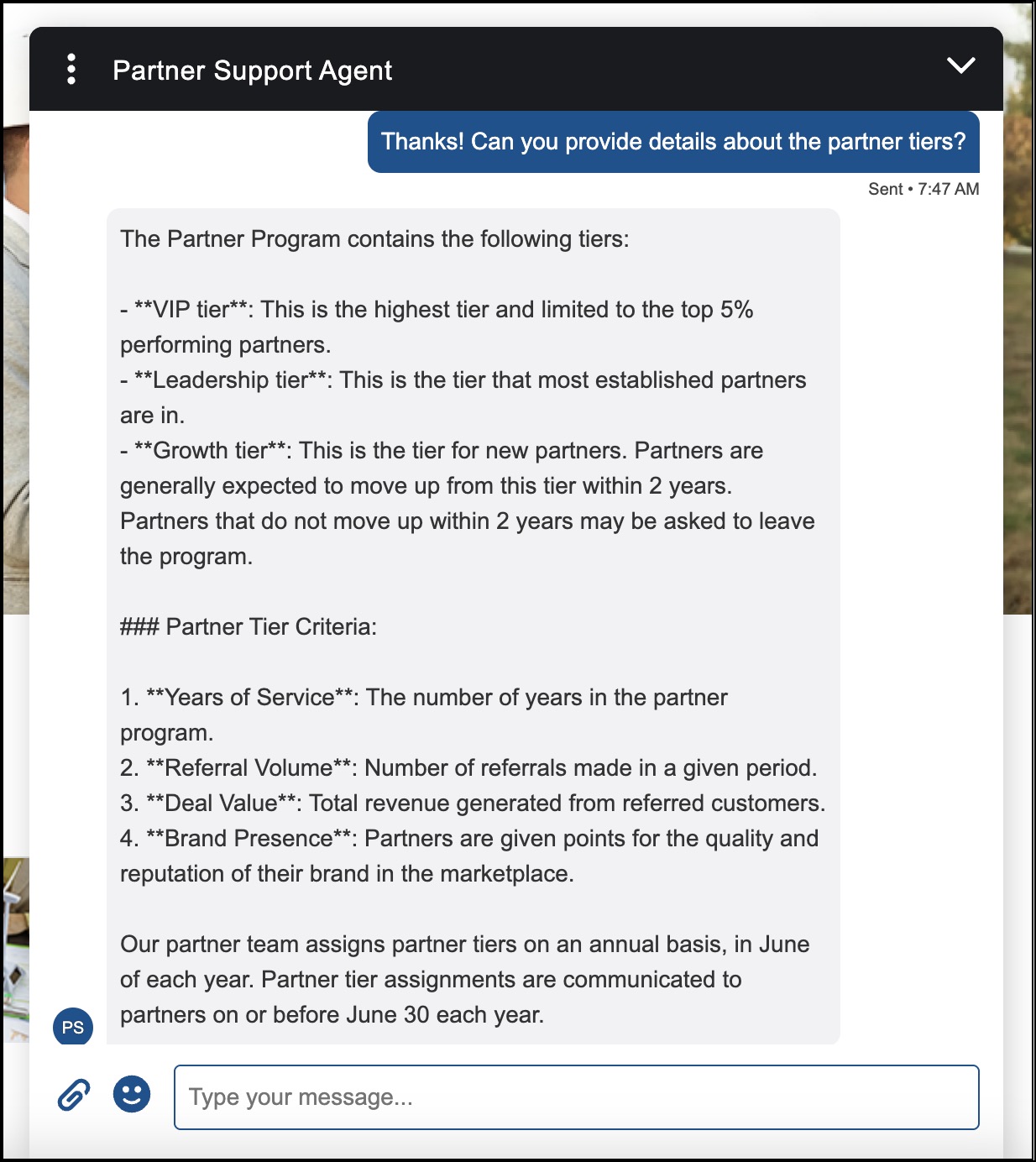
2. We ask the agent for additional details about the partner tiers, using the prompt “Can you provide details about the partner tiers?”
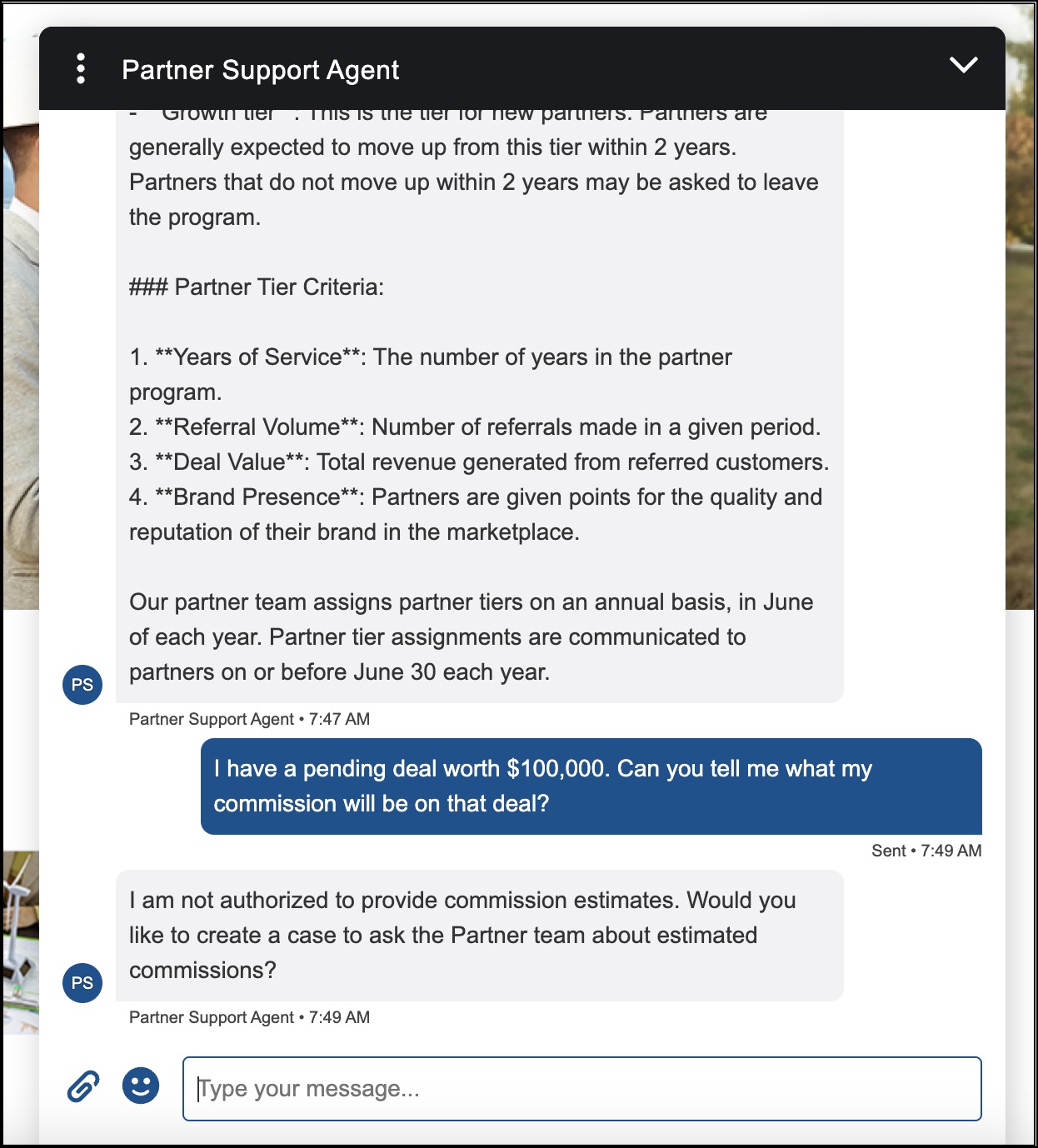
3. We ask the agent to provide an estimate on a specific deal. The agent has a guardrail to NOT provide an answer to this question. Instead, the agent asks if we’d like to create a case.
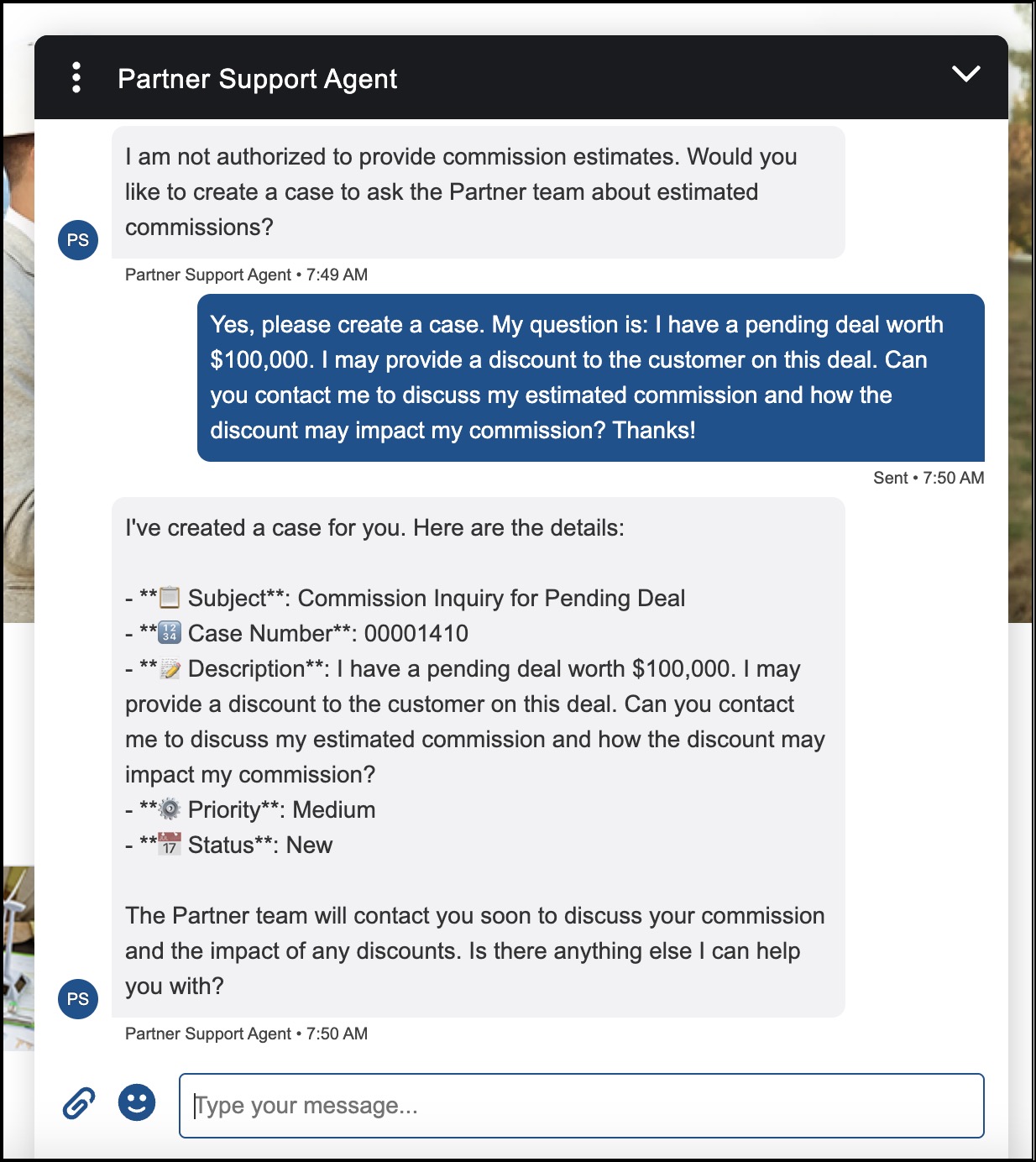
4. After the agent creates the case, it displays the information about the case: subject, case number, description, priority, and status.
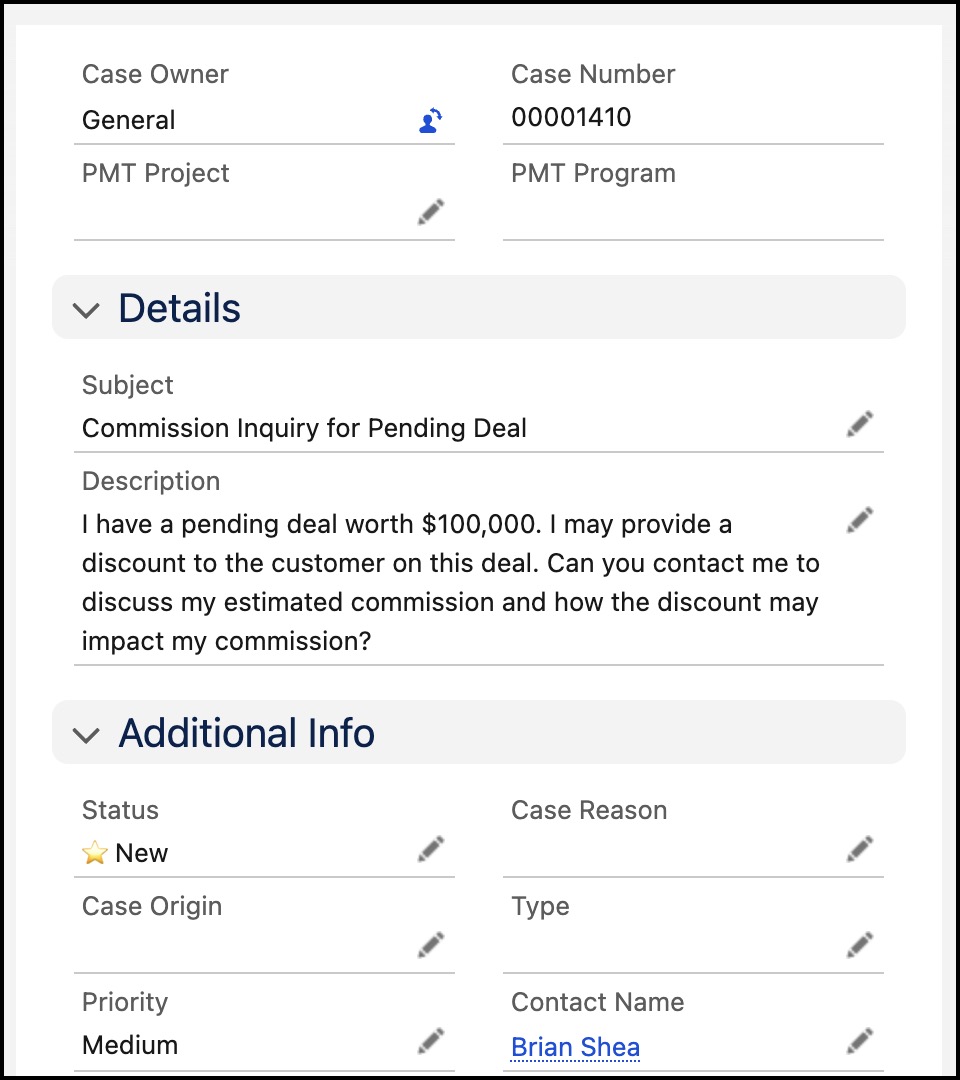
5. When testing, it’s important to confirm that the agent not only displays the correct information in the chat but also creates the case record with the expected information.
Configuration
Here are some key configurations we made to ensure the agent operates according to our specifications.
Agent permissions
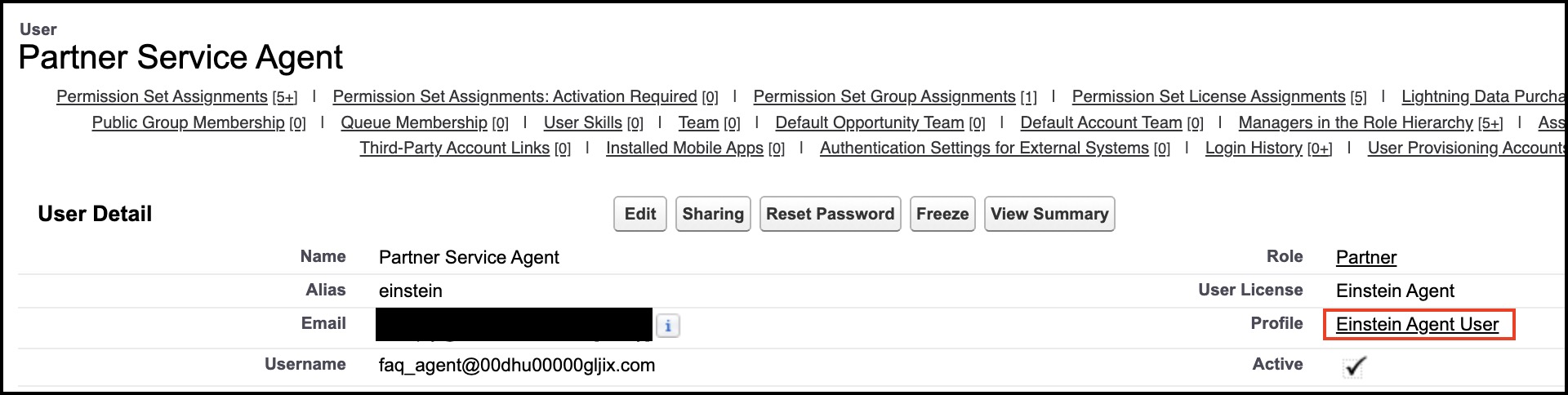
Agents have profiles and permission sets (just like traditional Salesforce users). We’ve configured the agent’s profile and permission sets to give it object and field access according to our specification.
‘Create Case with Priority’ topic
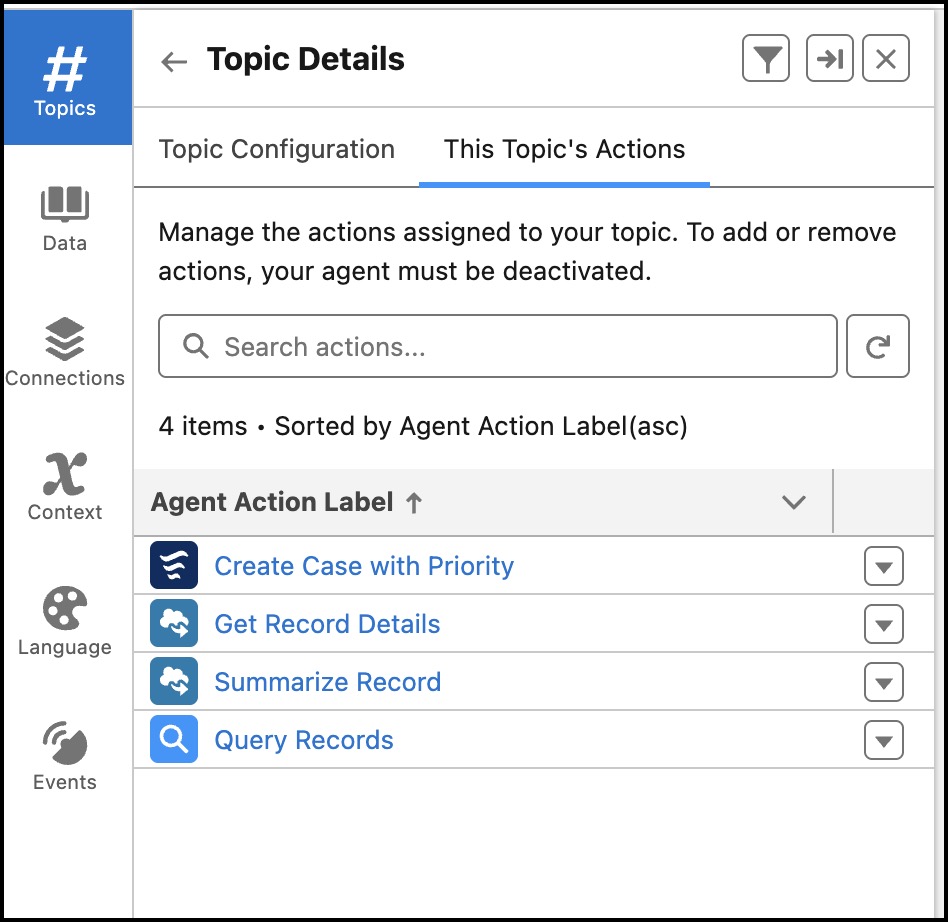
Our agent has a topic called Create Case with Priority, which enables the agent to create the case. Important note: We’ve only assigned the actions to this topic that are required to perform the intended functions. Only provide the agent with actions that have a clearly defined purpose for the agent’s operations.
‘Create Case with Priority’ custom action
Agentforce has a standard action called Create Case. This action sets the Contact, Subject, and Description fields on the case. Our agent will also need to set the Case Priority field when it creates a case. To do this, we can extend the standard Create Case action to create a custom agent action called Create Case with Priority, as follows:
1. Open the flow associated with the standard Create Case action.
2. Click Save As New Flow.
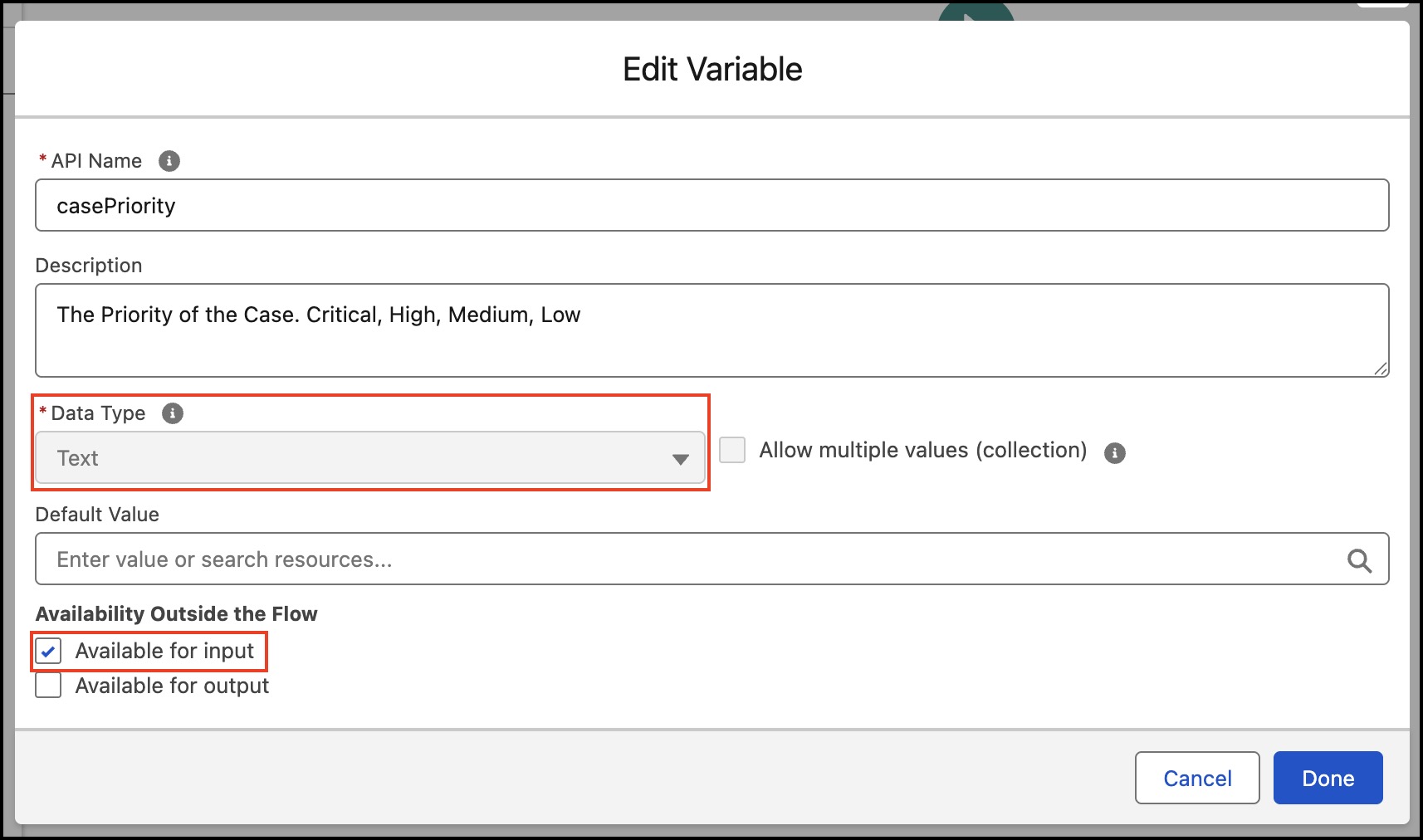
3. In the newly created flow, create a new variable for the case priority. Set the Data Type to ‘Text’ and check the ‘Available for input’ box.
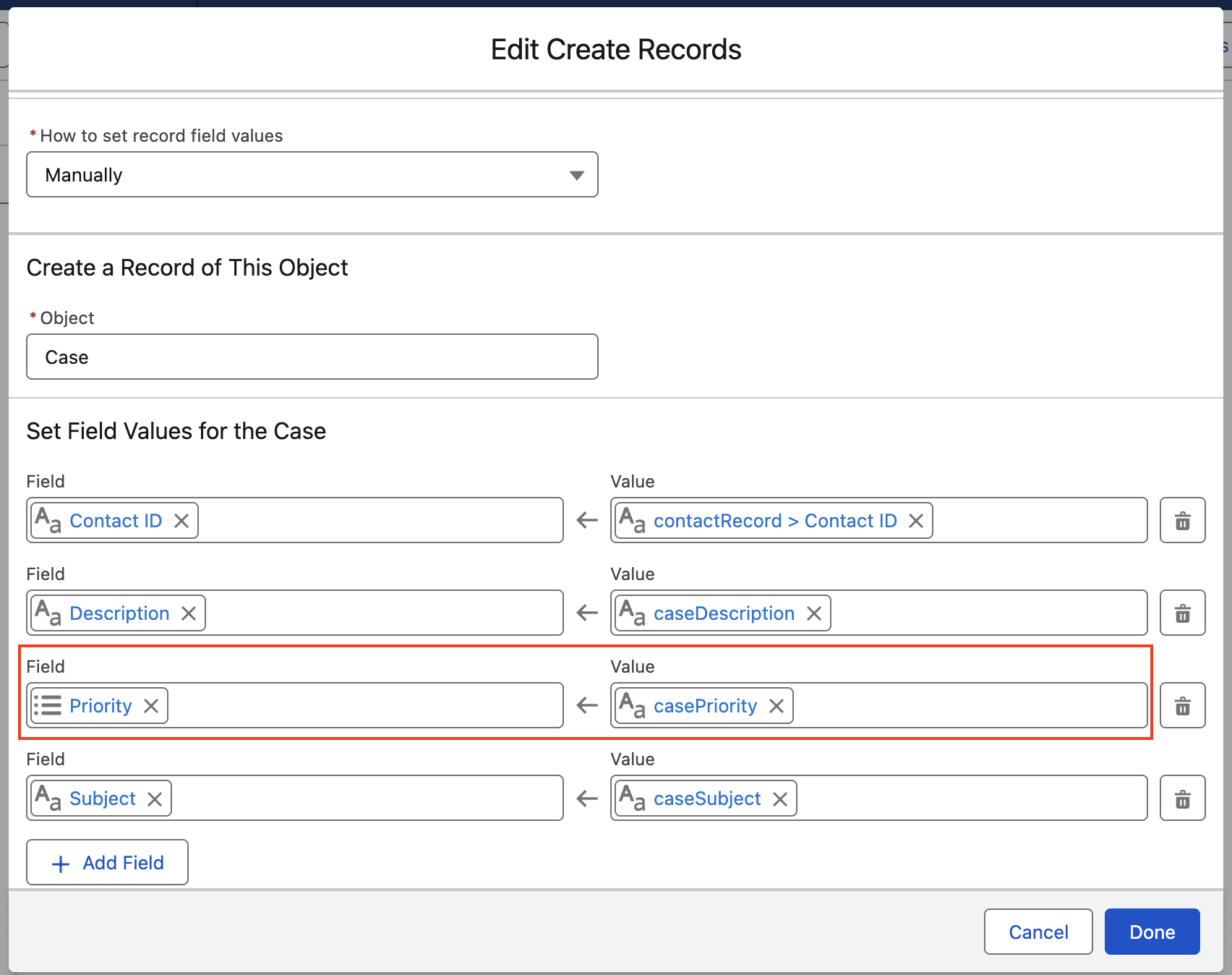
4. Add the Priority field to the Create Case flow element.
5. Test and activate the flow.
6. Create a new custom action by navigating to Setup → Agent Assets → click the Actions tab → click Create New Action.
7. Configure the custom action as follows:
a. Reference Action Type: Flow
b. Reference Action: Create Case with Priority
c. Agent Action Label: Create Case with Priority
d. Agent Action API Name: Create_Case_with_Priority2
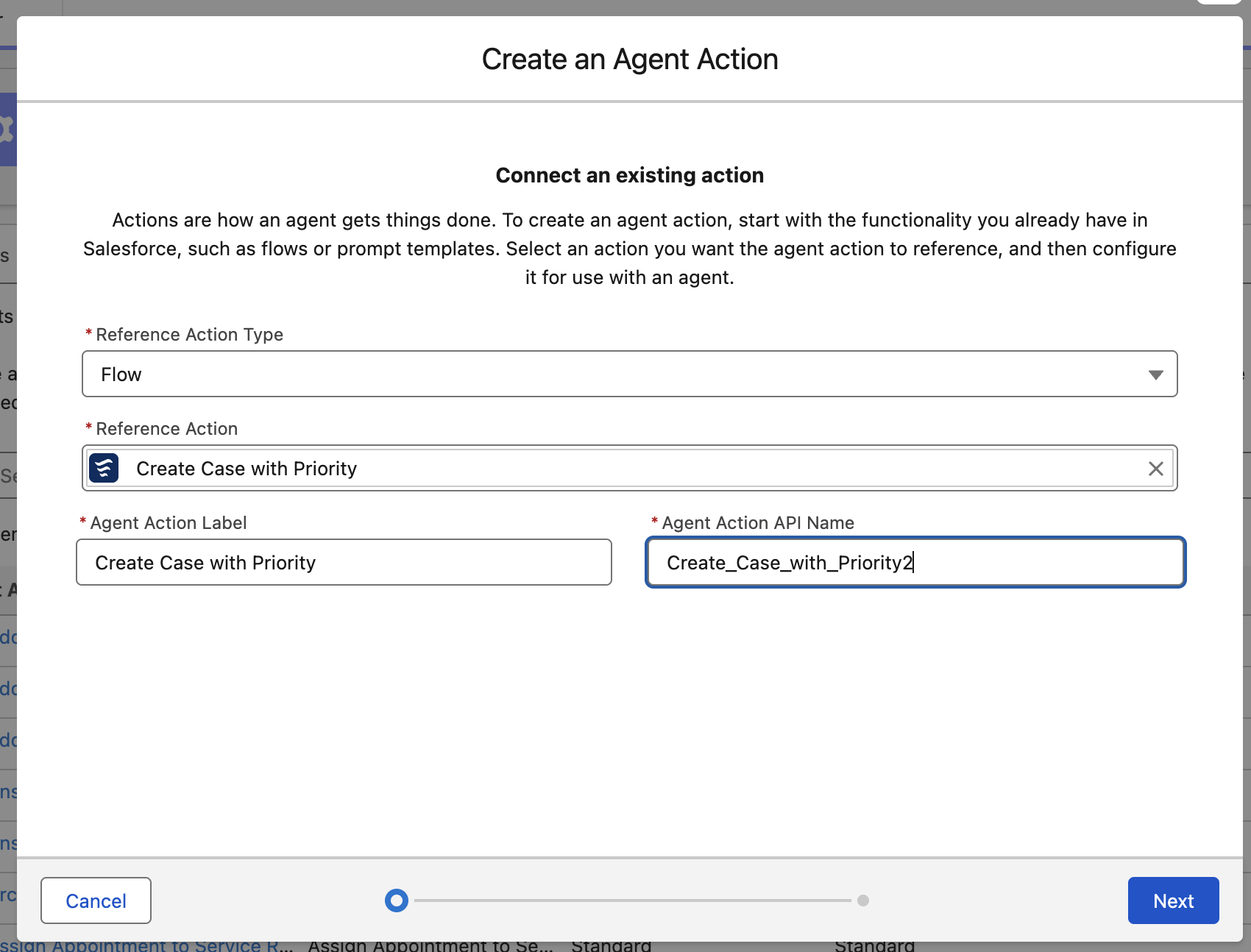
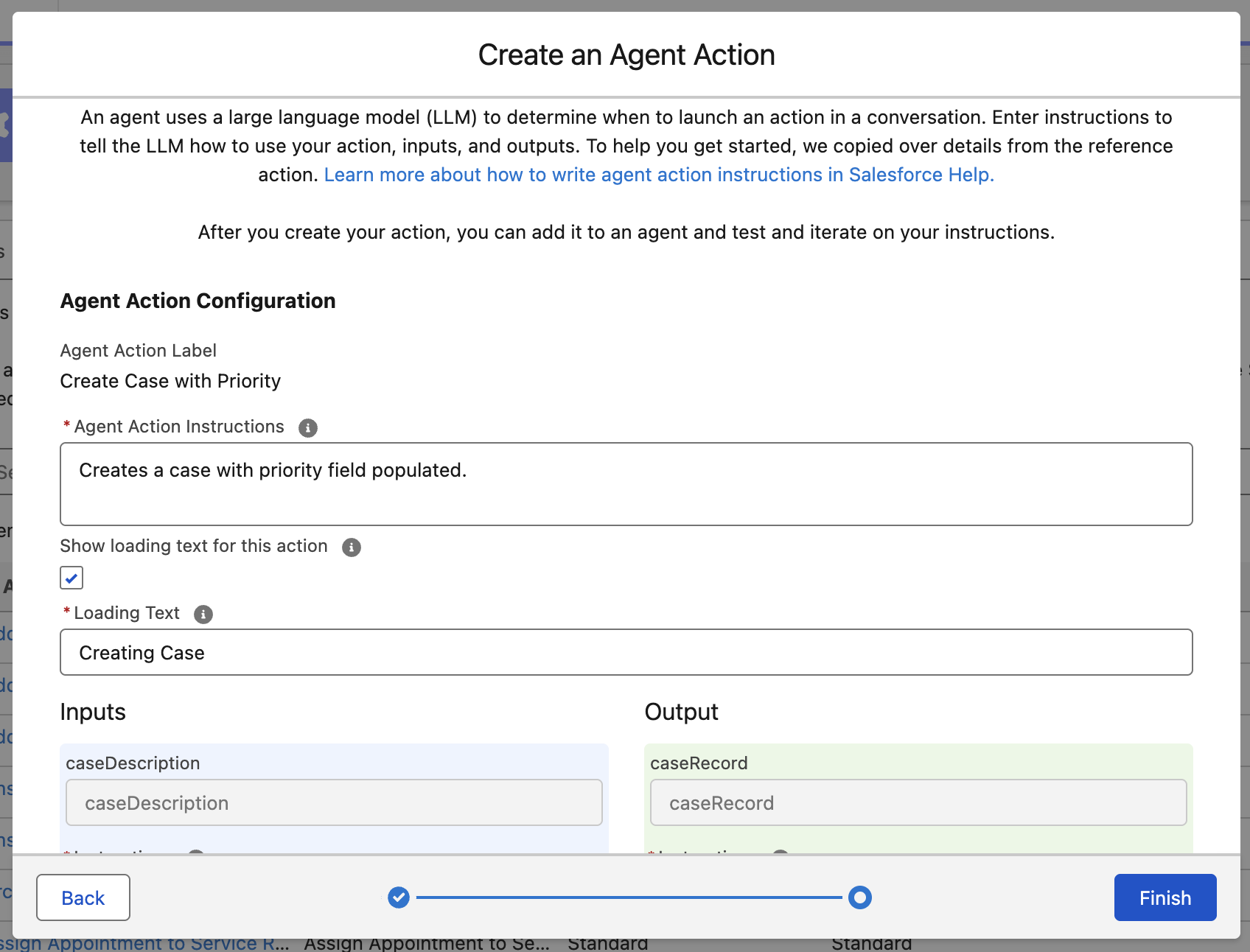
8. Configure the Inputs, Outputs, and other required information, then click Finish. Note: The Priority field will be one of the input parameters because we previously configured the Priority flow variable to ‘Available for input’.
Instructions for answering questions
The agent will answer questions by using the Custom FAQ topic.
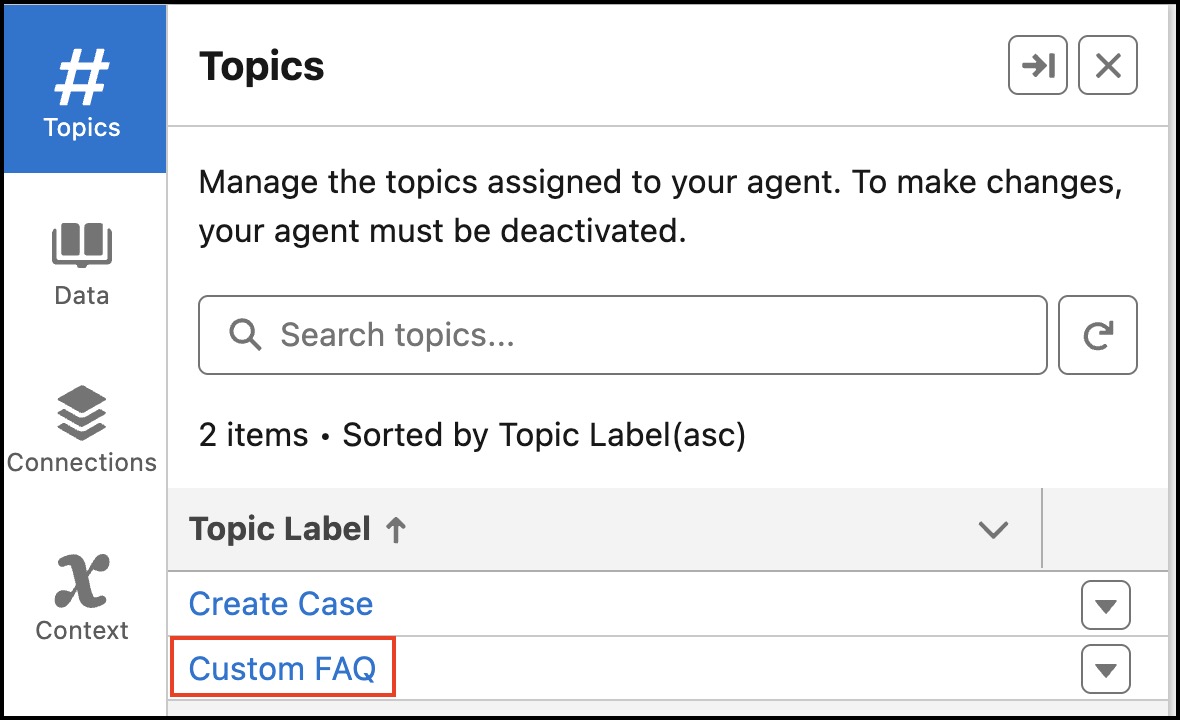
Our specification said that our agent should not provide commission estimates for specific deals. The agent can provide general information about commission rates, but not estimated amounts. We’ll create a guardrail for this scenario using the topic instructions. The instructions will be expressed in natural language as such:
You may provide information about the Commission Rates for the various Partner Tiers. But do not calculate or estimate Commission Amounts. For example: It is OK to say that the Commission Rate for a Tier is 15%, it is NOT ok to say the Commission on a particular deal is $10,000.
We also provide instructions for what the agent should do if it encounters the guardrail. In this example, we’ll have the agent ask the user if they’d like to create a case.
When answering a question about Partner Commissions, do not provide any information about a particular Partner's commission. Do not provide estimates of Partner Commissions. If a user asks for an estimate of their Commission, please respond "I am not authorized to provide that commission estimates. Would you like to create a case to ask the Partner team about estimated commissions?"
Key benefits and lessons learned
As we incorporate agents into our workflows, it’s paramount that they operate in a highly predictable, secure, and compliant manner. As you work with your stakeholders to understand and identify critical scenarios, make sure to clearly define the conditions for those scenarios and the guardrails to address them. Clear definitions are the foundation of secure and compliant agents that work effectively and earn stakeholders’ trust.
Takeaways for admins
- Aligned configurations (perms, actions, and instructions): Make sure that agent permissions, actions, and instructions are all focused on the same objects and fields. Do not give agents access to objects and fields that are not needed to perform their intended actions.
- Non-deterministic testing: In traditional software testing, each input has exactly one output. This means that each test case needs to be performed just once. Since agents are performing non-deterministic actions, there may be many outputs for a given input. This means that test cases should be performed many times to confirm that outputs conform to an acceptable range of variations. Agentforce contains tooling, like Testing Center and Command Center, that allows admins to perform testing and monitoring of agents.
- Iterate and build on success: When onboarding a new employee, you typically give them a clearly defined set of tasks. As they demonstrate success, you gradually expand their responsibilities. The same approach applies to agents. Begin with a focused scope and build on success by broadening their capabilities over time.
- Stay current: Agentforce’s capabilities are expanding rapidly. Make sure to stay up to date as the product grows.
Resources
- PDF: Create a Compliant Agent: Cheat Sheet
- External Site: YouTube: Introducing Agentforce 3 | Salesforce
- Salesforce Help: Agentforce Testing Center
The post Build Secure and Compliant AI Agents | Automate with Agentforce appeared first on Salesforce Admins.

