So you’ve probably realized by now, that the tools you run on either slow you down or move you forward. A business operating system (OS) can house everything you need under one roof. It brings every part of your business into one place — like your home — so you can be the magic that makes your business grow — because that’s the whole point.
The best business operating system is one that works around the clock, and connects every team. In this quick guide, we’ll break down what a business operating system is, what it should do for you, and how Salesforce provides small businesses the tools to win on their own terms.
What is a business operating system (OS)?
At its core, a business operating system (OS) is a connected set of tools that manages the essential functions of how your business runs day-to-day. It’s where your team sends marketing emails, tracks leads, closes deals, and resolves customer issues — without having to jump between a dozen disconnected apps.
For founders, the most popular form of a business operating system is customer relationship management (CRM) — yes, the platform to does it all. A modern CRM is a living system that connects your people, your data, and your processes in one place. It quite literally, houses your business — your home base.
And your smart about operating a business system — it needs to be safe. You’ll want to partner with a safe, secure place for all of your operations, this is data and needs to be protected with a trusted partner. Salesforce is made for just this case — to function as this home base for your business, and of course, run by the Trust Layer. Your data is safe when you have the power of a 20+ year old team behind you.
It brings sales, service, and marketing data into one dashboard — much like Salesforce CRM — ensuring your entire team works from the same customer record. By using artificial intelligence (AI) tools like Salesforce’s Agentforce, it handles repetitive tasks such as lead assignments and follow-up emails, freeing your team for higher-value strategy. It offers a clear, data-driven view of your pipeline and customer health, allowing you to make informed decisions without the need for manual tracking in separate spreadsheets.
Why startups need a business operating system
Most small business owners start by stitching together tools — a spreadsheet here, an email there, and a separate app for invoices…commerce…and oof, don’t forget social. It adds up! Data gets lost and leads could fall through the cracks with a disconnected team.
The real cost of disconnected tools
When your sales data lives in one tool, your customer service tickets in another, and your marketing lists in a spreadsheet, you’re not just wasting time — you’re leaving money on the table. Salesforce research found that customers report a 27% increase in leads, 25% more closed deals, and 36% higher customer satisfaction when they consolidate onto a CRM platform. So, let’s get into the OS features, so you can see them in action.
When your business runs on a connected CRM system, the benefits go well beyond convenience:
You save time and resources: Automation handles repetitive tasks like follow-up emails, lead routing, and report generation — no coding required.
You offer awesome customer experiences: Your sales, service, and marketing teams all work from the same customer record, so nothing falls through the cracks.
You make smarter decisions: Real-time dashboards give you a clear picture of your pipeline, customer health, and campaign performance — so you can act on facts, not gut feelings.
And you have room to grow: A great OS scales with you, so you never have to rip and replace your tech stack as your business grows. See how Salesforce CRM compares for small businesses.
Key features of a business operating system
- Sales pipeline: Track, automate, and monitor deals with real-time visibility.
- Marketing automation: Build campaigns, segment audiences, and optimize content with AI.
- Customer service: Resolve issues faster by aligning teams on a unified customer history and knowledge base.
- Commerce: Accept payments and sync transaction data to connect commerce directly to your CRM.
- Team collaboration: Simplify internal communication with automated alerts and shared deal notes in one place.
Get Salesforce free for 30 days.
No credit card required, no software to install.

The big OS list: The next generation of small business operations
The next generation is here, so we hope you’re on board. To get you started, here’s a very big list of OS companies you can consider:
- Airtable blends the simplicity of a spreadsheet with the power of a database to help teams organize data and build custom workflows.
- Asana empowers teams to manage complex projects and track progress across the organization in a single, intuitive interface.
- Basecamp keeps teams on the same page by centralizing projects, communications, and files in one easy-to-navigate space.
- Bitrix24 provides a comprehensive suite of collaboration, CRM, and project management tools for businesses of all sizes.
- ClickUp centralizes your tasks, docs, and goals into one highly customizable workspace to streamline team productivity.
- Free Suite is ideal if you’re just getting started and need essential sales, service, and marketing tools for up to two users — at no cost, no trial period, no software to install.
- Freshworks delivers intuitive CRM and support tools designed to make business software easy to use and quick to implement.
- Gusto handles payroll, benefits, and HR needs to help small businesses manage their teams with ease.
- HubSpot helps small businesses grow better with a unified platform for marketing, sales, and service.
- Insightly connects marketing, sales, and projects to keep teams aligned and customers satisfied.
- Jira helps teams plan, track, and manage software development and agile projects.
- Kajabi empowers creators to build, market, and sell online courses and digital products from a single platform.
- Monday.com offers a flexible Work OS that lets teams build custom workflows for project management, sales, and operations.
- Notion combines notes, docs, and project management into a single, collaborative workspace that adapts to your team’s needs.
- Odoo provides a fully integrated suite of modular business apps that grow with your company from accounting to inventory.
- Pipedrive focuses on visual sales management to help teams prioritize deals and track activities effectively.
- Pro Suite steps up the automation and customization for businesses that are scaling fast and need more advanced workflows and integrations.
- QuickBooks streamlines accounting and financial management to keep your business’s finances organized and accurate.
- Slack creates a digital HQ for your team to communicate, collaborate, and integrate with other apps seamlessly.
- Starter Suite is a turnkey CRM that’s ready to go out of the box, with AI built directly into the workflows you already use. It’s perfect for teams that need a complete platform without heavy customization.
- Trello uses visual boards to help teams organize tasks and collaborate on projects in a flexible, intuitive way.
- Wrike offers powerful project management features that help teams collaborate and deliver results faster.
- Zoho One provides an all-in-one suite of over 45 integrated applications to run your entire business from the cloud.
| Tool | Sales Pipeline | Marketing & Automation | Customer Service | Commerce | Team Collaboration |
|---|---|---|---|---|---|
| Airtable | ✔ | X | X | X | ✔ |
| Asana | X | X | X | X | ✔ |
| Basecamp | X | X | X | X | ✔ |
| Bitrix24 | ✔ | ✔ | ✔ | ✔ | ✔ |
| ClickUp | ✔ | X | X | X | ✔ |
| Free Suite | ✔ | ✔ | ✔ | X | ✔ |
| Freshworks | ✔ | ✔ | ✔ | X | ✔ |
| Gusto | X | X | X | X | ✔ |
| HubSpot | ✔ | ✔ | ✔ | ✔ | ✔ |
| Insightly | ✔ | ✔ | X | X | ✔ |
| Jira | X | X | ✔ | X | ✔ |
| Kajabi | ✔ | ✔ | X | ✔ | ✔ |
| Monday.com | ✔ | ✔ | X | X | ✔ |
| Notion | X | X | X | X | ✔ |
| Odoo | ✔ | ✔ | ✔ | ✔ | ✔ |
| Pipedrive | ✔ | ✔ | X | X | ✔ |
| Pro Suite | ✔ | ✔ | ✔ | ✔ | ✔ |
| QuickBooks | X | X | X | ✔ | ✔ |
| Slack | ✔ | ✔ | ✔ | ✔ | ✔ |
| Starter Suite | ✔ | ✔ | ✔ | ✔ | ✔ |
| Trello | X | X | X | X | ✔ |
| Wrike | X | X | X | X | ✔ |
| Zoho One | ✔ | ✔ | ✔ | ✔ | ✔ |
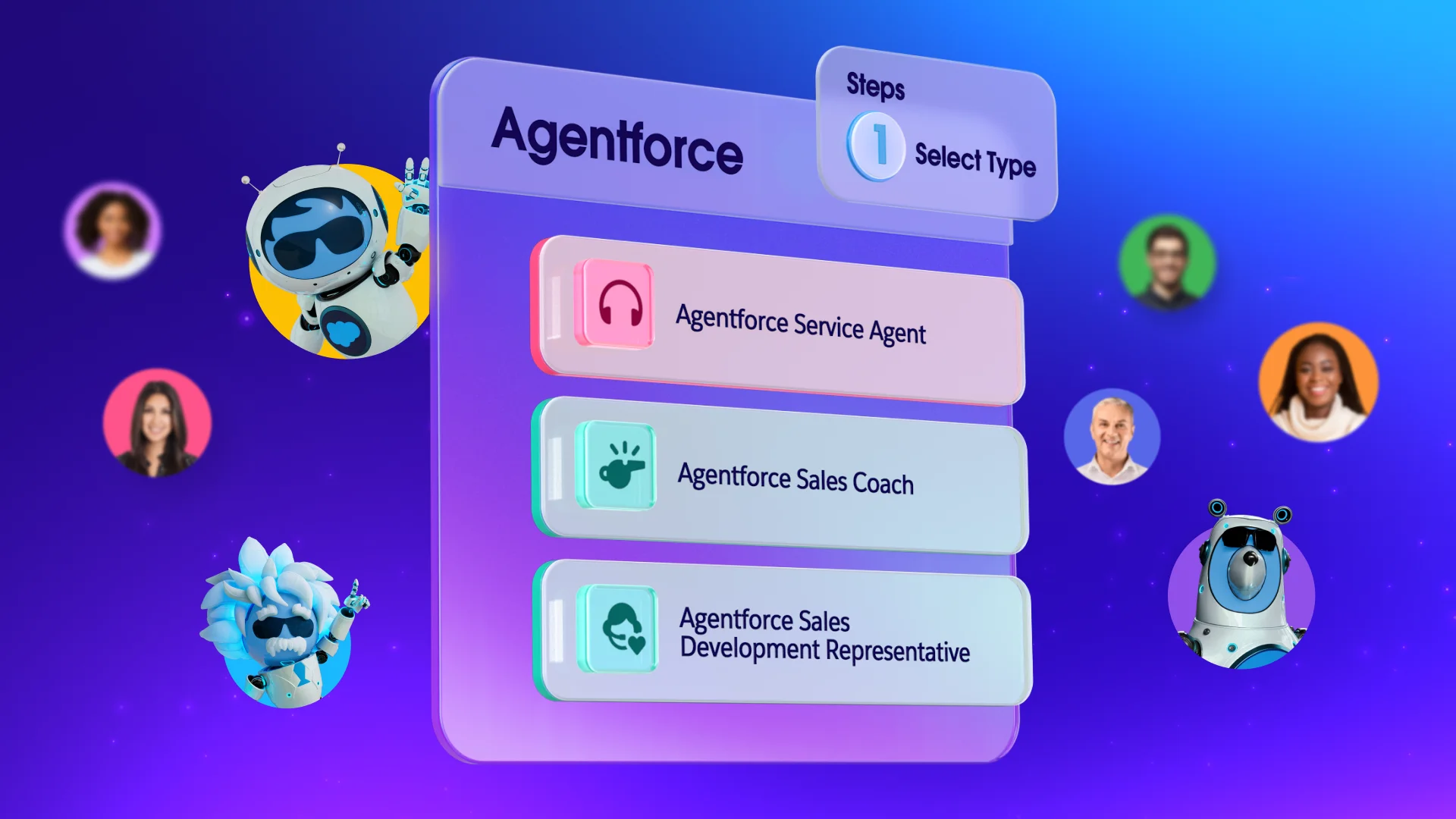
The business operating system is evolving — fast. Agentforce now powers Salesforce, giving businesses access to AI agents that take action. An Agentforce agent can qualify a lead, resolve a service case, draft a personalized email, or schedule a sales meeting, all without human intervention. This means your OS doesn’t just track what’s happening — it actively helps you run your business around the clock.
Get started with your business operating system today
Your business operating system awaits! It’s exciting to think that all your teams, tools, and techniques are in one place. This quick guide should have given you the inspiration and motivation to get the right tool for your future.
Here are some additional resources to keep learning:
- Best Small Business Software
- Salesforce = The Operating System for Modern Business
- Salesforce-Native Operating System for Business
- Grow Your Business Without Outgrowing Your CRM
And, if you want to try Salesforce for your OS, Salesforce Suites is available for free.
AI supported the writers and editors who created this article.
What is a business operating system for small businesses?
A business operating system is a unified platform that connects your core business functions — sales, marketing, customer service, and commerce — into one application. For most small businesses, this takes the form of a CRM like Salesforce, which centralizes customer data and automates routine tasks so your team can focus on growth.
How is a CRM different from a business operating system?
A CRM started as a tool for managing customer contacts and deals. Today’s CRM platforms — like Salesforce Suites — have expanded to cover marketing, service, commerce, and AI automation, effectively functioning as a full business operating system for small businesses.
What features should I look for in a small business operating system?
Look for a platform that combines sales pipeline management, email marketing, customer service case tracking, and commerce tools in one place. Built-in AI, easy setup, and the ability to scale without switching platforms are also important. Salesforce offers a free Trailhead learning path to help you get up to speed quickly.
How much does a small business operating system cost?
Costs vary widely. Salesforce offers Free Suite with essential CRM tools for up to two users at no cost. Starter Suite and Pro Suite are paid tiers that add more automation, customization, and AI capabilities as your team and needs grow.
Is Salesforce really built for small businesses, or is it just for big companies?
It’s genuinely built for both. Salesforce has dedicated CRM suites — Free, Starter, and Pro — designed specifically for small and growing businesses, with zero setup required and guided onboarding built in.