
It’s that time of year, the Salesforce Spring ’26 Release. In this release, there are a number of updates to support Admins to enhance user experience, update reports and dashboards, and continue security enhancements.
My Trust Center (Beta)
Prior to the launch of My Trust Center, Admins had to rely on the public Trust site, though it didn’t provide org-specific details. My Trust Center now gives secure, personalized access to how platform events affect your specific org and the products you use. Improvements have been made to make navigation easier, offer subscription options, provide a full year of incident and maintenance history, and include helpful details such as org location and MyDomain.
Note: Currently, this feature is still in the beta pilot version, and Salesforce advises using it at your own discretion.
Setup with Agentforce (Beta)
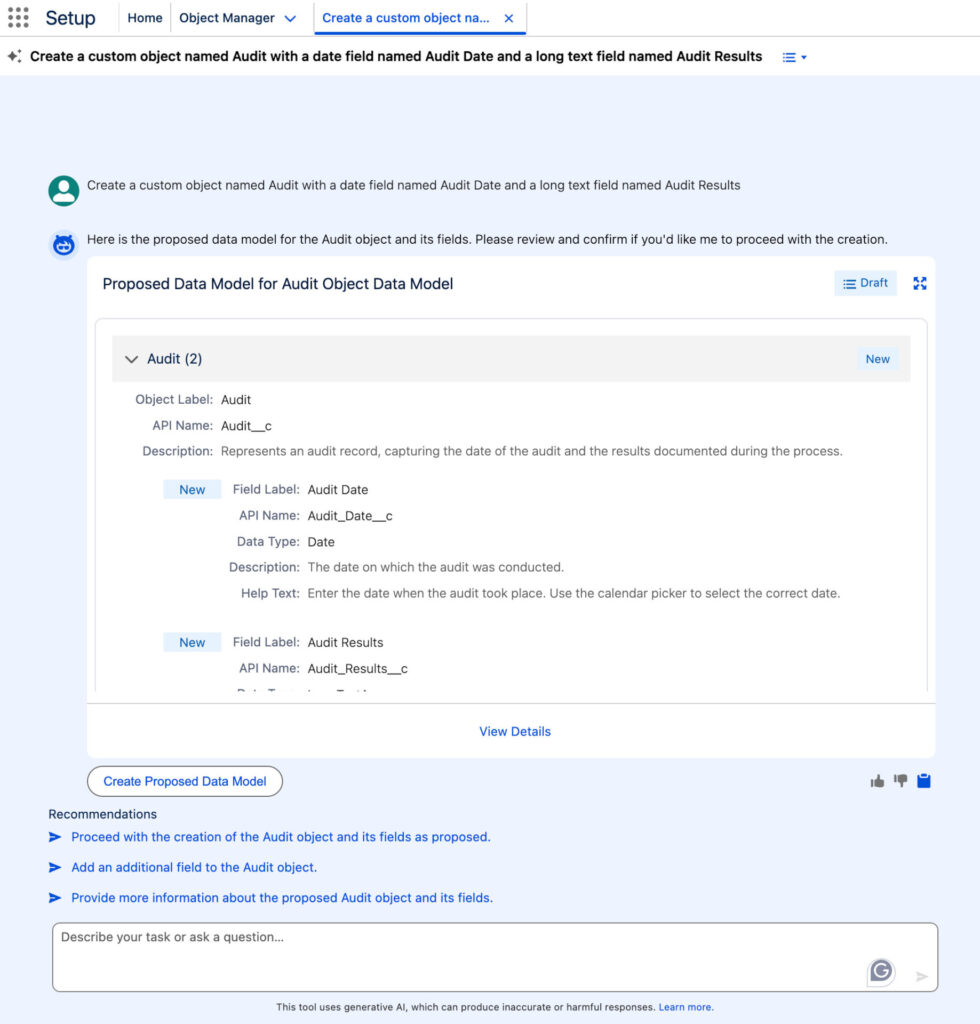
Setting up with Agentforce can support setup tasks such as creating custom objects and fields, generating permission sets, configuring basic security settings, and troubleshooting formulas. Instead of clicking through the Setup screens, Admins can use natural language prompts such as “Create a custom object for Books with fields for Title, Author, and Published Date.”
Note: Currently, this feature is still in the beta pilot version, and Salesforce advises using it at your own discretion.
Health Check Updates
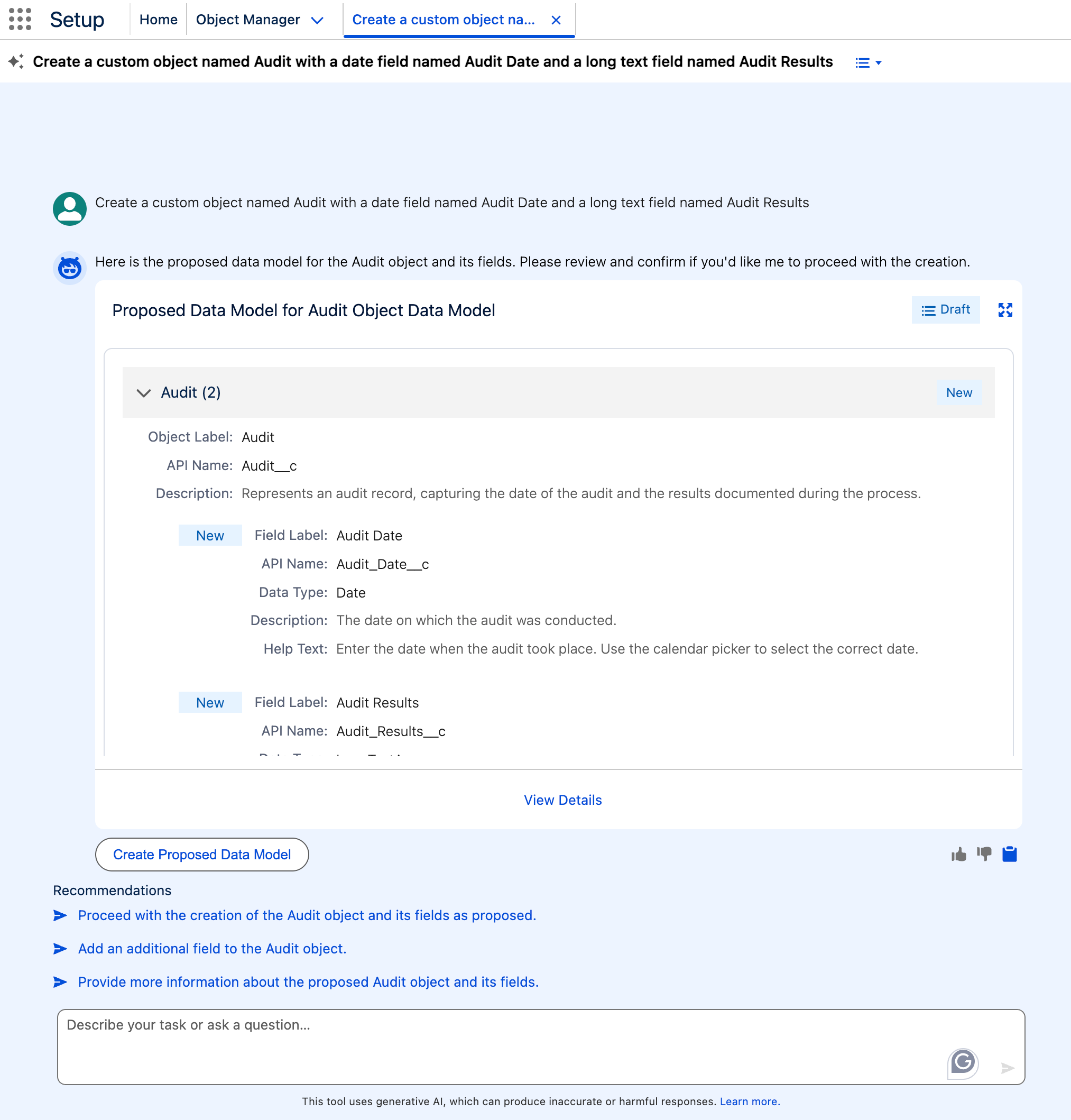
In the spirit of constant improvement and continued enhancement, updates to Health Check have been made to include configurable security settings such as MFA status, SAML enablement, and session management controls. Additionally, email notifications can be enabled so that specific users can be alerted when the Health Check score decreases, and action can be taken quickly to resolve potential issues.
Request Approval Lightning Component
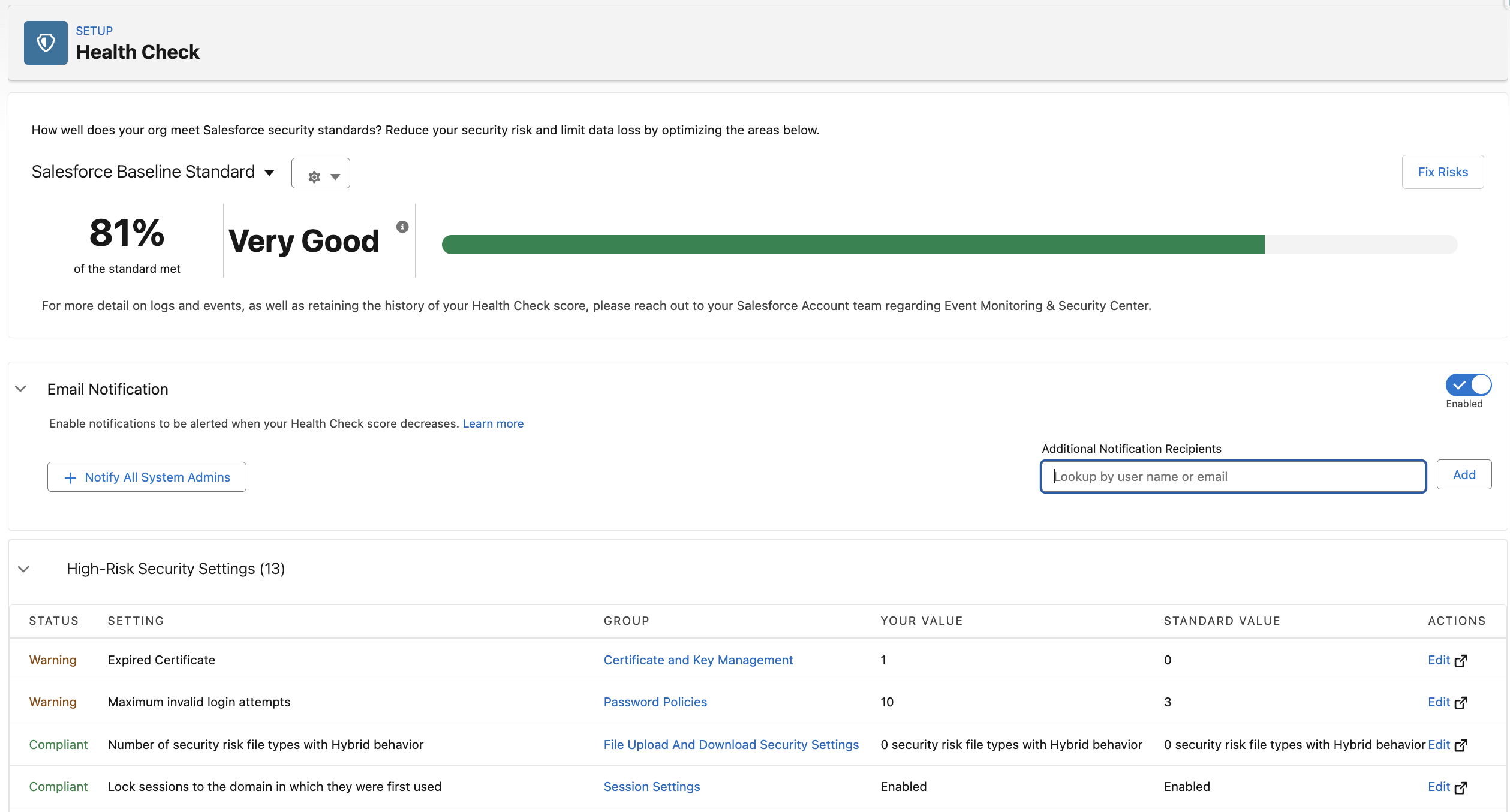
Approvals can now be submitted directly from a record page with the new “Request Approval” Lightning Component in both the Lightning App Builder and Experience Builder. Further configuration of the approval request can be made to include submission comments and select the appropriate approver. No longer are
Note that this component only works with Flow-based Approval processes.
Reports and Dashboards
The Spring ’26 Release includes a few notable updates to reports and dashboards that improve clarity and usability.
Retain Table Settings in Report
A long-awaited update, users can now utilize the existing report settings when adding tables to dashboards, including groupings, custom formulas, and bucketing. This feature reduces manual configuration and allows for consistency between the existing report and the addition of the dashboard table.
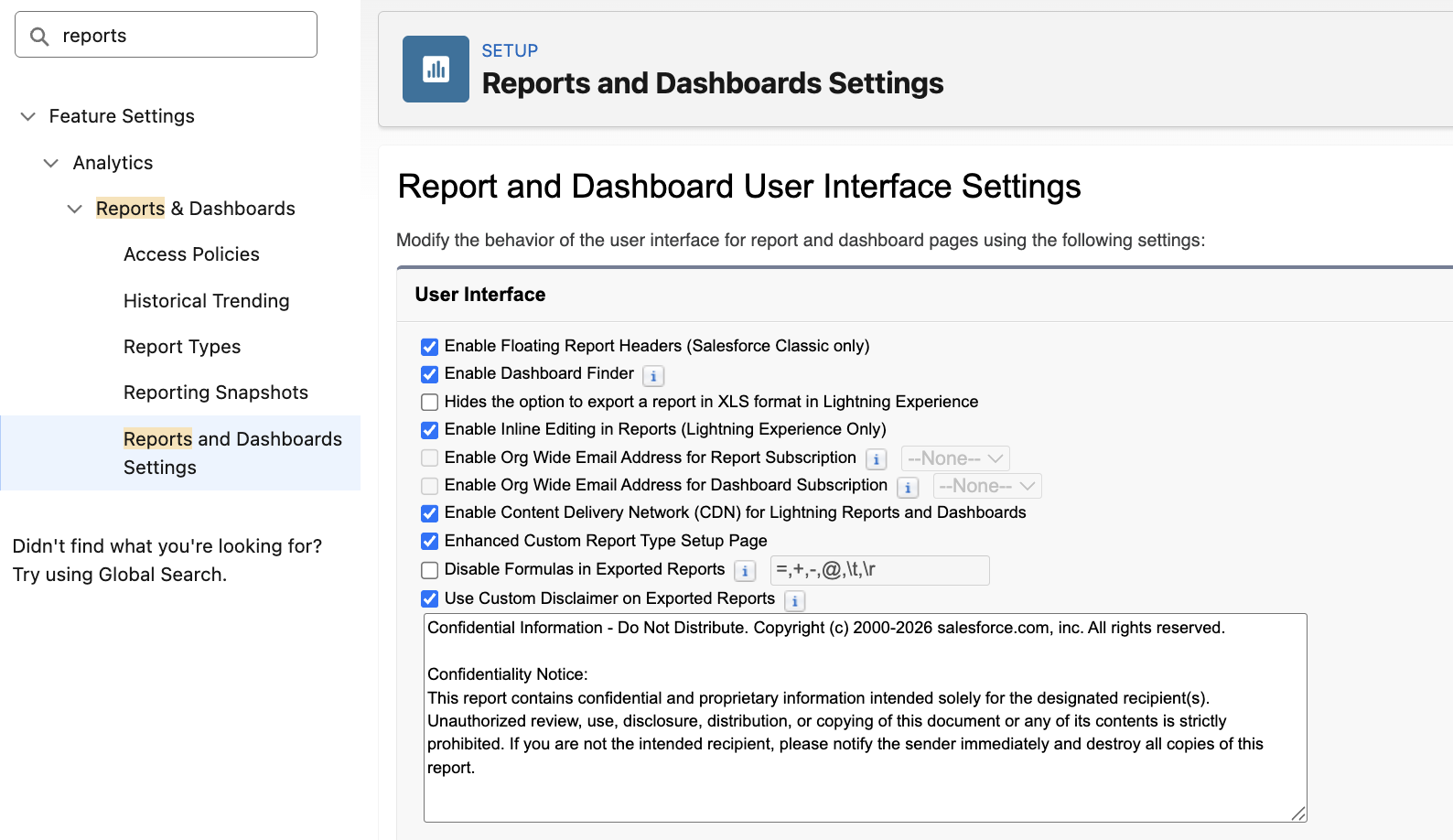
Custom Disclaimer on Exported Reports
Report settings can be updated to include a custom disclaimer on exported reports. This helps ensure compliance with the individual organization’s policies and regulatory requirements. While the standard Salesforce notice is still included, Admins can easily incorporate policy language with a custom disclaimer specific to their organization on exported reports through the “Reports and Dashboard Settings”.
Flow Feature Releases
Enhanced User Experience in Flow Builder
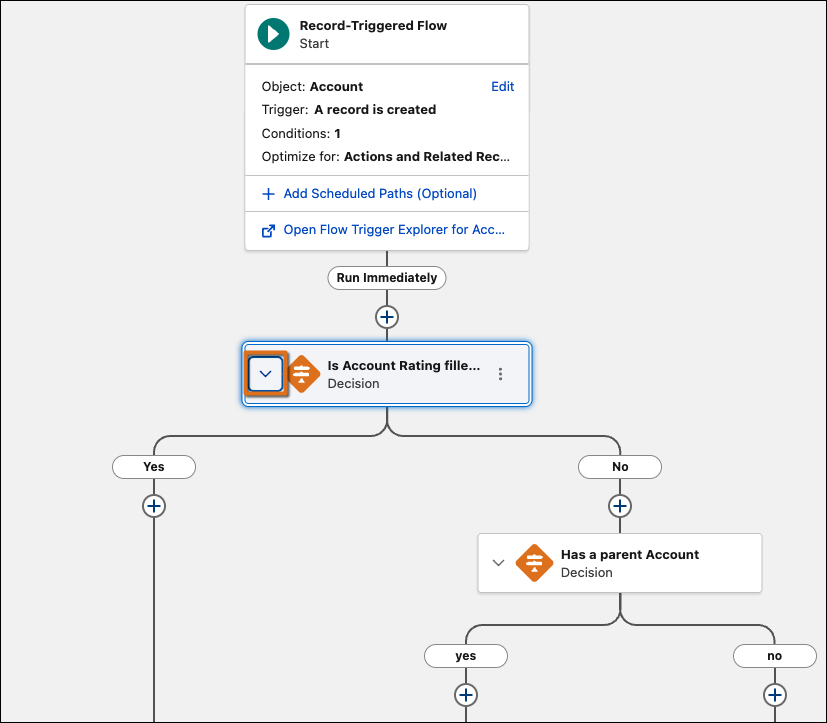
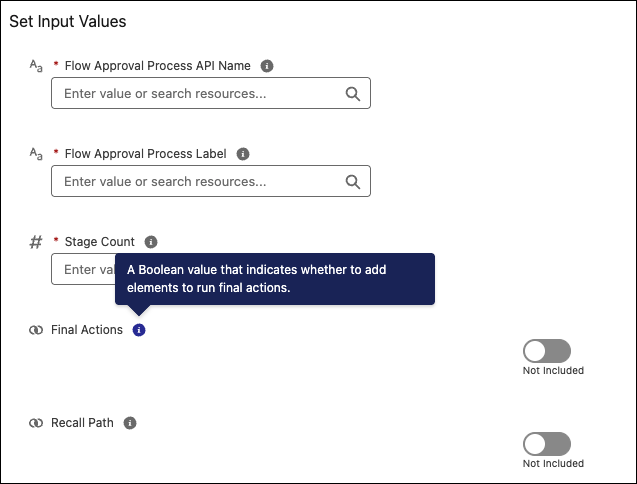
With the Spring ’26 release, the Flow Builder interface has been improved with user-friendly updates for Admins. Navigating complex flows has become easier, with the ability to collapse branching elements on the canvas and hide unnecessary detail, as well as the ability to quickly navigate the flow with enhanced scrolling instead of the cumbersome click and drag experience. Additionally, Admins can now view action input descriptions more easily when creating and editing flows. While setting input values of a flow, users can hover over the infobubble to view the description of the input before assigning a value.
Improvements for Screen Flows
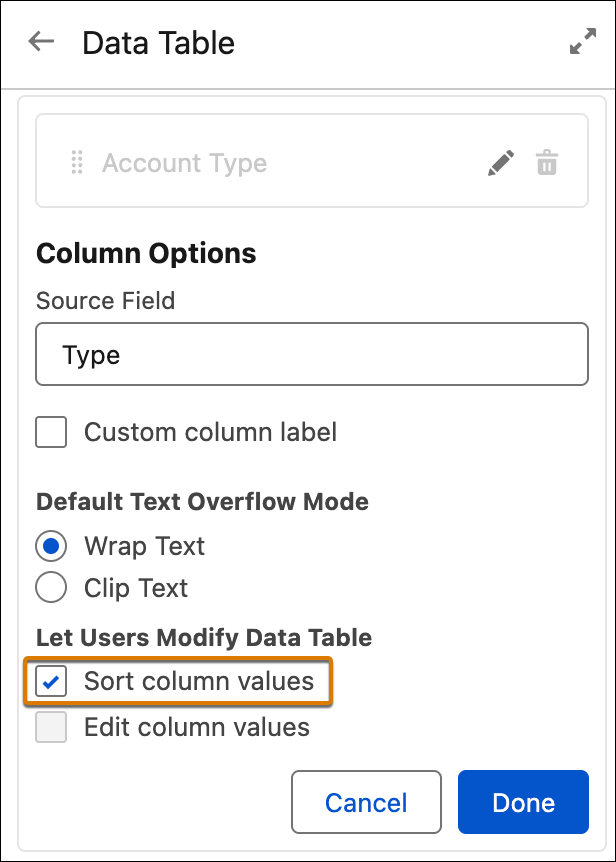
There are a few updates in regard to the Data Table component on screen flows, including the ability for fields on the Data Table component to be directly edited at runtime, which allows users to make updates directly to Data Table fields displayed on the screen flow. Additionally, users viewing the screen flow can organize their personal view of the Data Table component by sorting the column headers at runtime. This allows the user to sort the visible columns on the Data Table alphabetically or numerically.
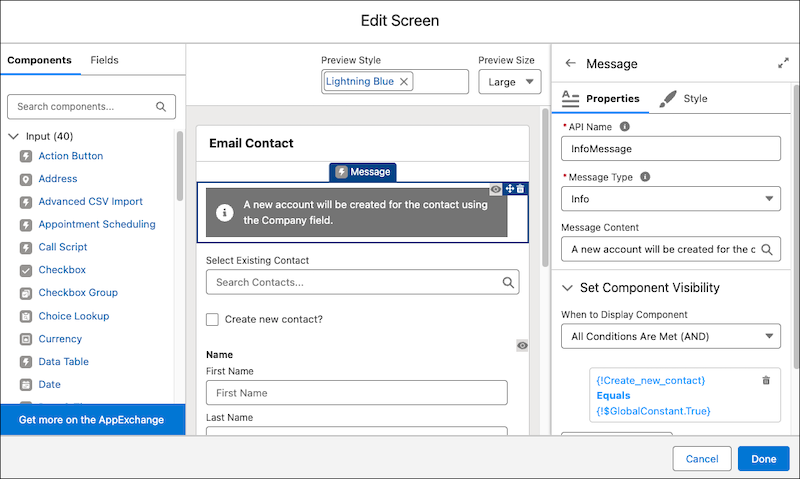
Other styling and user experience updates include the new Message screen component, which allows the display of distinct messages—such as a description, error, or warning—to screen flows in a more attention-grabbing way than the standard text component. Moreover, component-level styling overrides are available on screen flows, adding personalization such as updating background and text colors, border styling, button customization, and other visual elements.
And last, but certainly not least, the Compare Versions feature allows Admins to track what has changed between versions of a screen flow. The comparison results detail the differences in the elements, resources, and flow properties between the selected screen flow versions.
As with all releases, we recommend that you test new features and enhancements first in a Sandbox environment.
The post Salesforce Spring ’26 Release: Key Updates for Admins appeared first on Cloud for Good.

