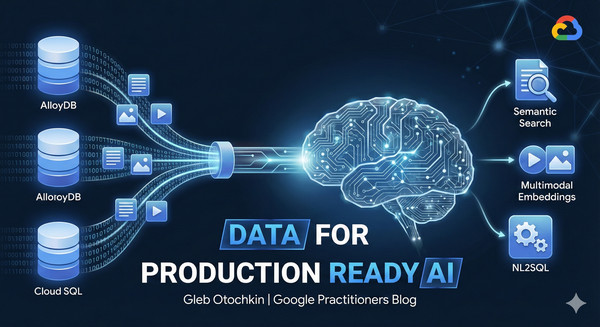
When discussing applications and systems using generative AI and the new opportunities they present, one component of the ecosystem is irreplaceable – data. Specifically, the data that companies gather, hold, and use daily. This data serves as the backbone for applications, analytics, knowledge bases, and much more. We use databases to store and work with this data, and most, if not all, AI-driven initiatives and new applications are going to use that data layer.
But how can we start to use the data in our AI systems? Let me introduce you to some of the labs showing how to prepare and use the data with AI models in Google databases.
Semantic Search: Text Embeddings in Database
Our journey starts by preparing our data for semantic search and running first tests to augment the Gen AI model’s response by grounding it with your semantic search results. The grounding data is the basis for RAG (Retrieval Augmented Generation). Then, you can improve the performance of your search by indexing your embeddings using the latest indexing techniques.
One of the options is the Google AlloyDB database, which has direct integration with AI models and supports the most demanding workloads. The following lab guides us through all the steps, starting from creating an AlloyDB cluster, loading sample data, and generating embeddings, to using those embeddings to generate an augmented response from the Gen AI model.
- aside_block
- <ListValue: [StructValue([(‘title’, ‘Go to the lab!’), (‘body’, <wagtail.rich_text.RichText object at 0x7fe08e389d90>), (‘btn_text’, ”), (‘href’, ”), (‘image’, None)])]>
AI integration is not limited to AlloyDB. All Google Cloud databases have AI integration and are capable of generating and using embeddings for semantic search. For example, if you are using Cloud SQL, you can also generate and use embeddings for semantic search directly within your existing PostgreSQL or MySQL instances.
The next two labs are very similar to the previous one, but instead of Google AlloyDB for PostgreSQL, we are using Cloud SQL for PostgreSQL and Cloud SQL for MySQL to use semantic search as the grounding engine for the model’s response. Some steps are of course different due to variations in SQL language and different database engines, but the main idea stays the same: use our data to ground the model response and improve output.
- aside_block
- <ListValue: [StructValue([(‘title’, ‘Go to the labs!’), (‘body’, <wagtail.rich_text.RichText object at 0x7fe08e3893a0>), (‘btn_text’, ”), (‘href’, ”), (‘image’, None)])]>
Semantic search using text data is one of the cornerstones and important features making responses much more reliable and useful, but Google Gen AI models can offer much more. Let’s talk about multimodal search.
Multimodal Embeddings: Bring Images to the Search
In real life, of course, we use all our senses, including vision, to evaluate the world around us. The Google multimodal embedding models bring an additional layer of understanding, improving search by using embeddings not only for text but also for images.
In the following lab, we use a catalog of products placed in AlloyDB and supplemented by images in Google Cloud Storage. In the lab, we show how we can use both text descriptions and images for semantic search, supplementing and replacing each other, naturally incorporating search based on image input into our response.
- aside_block
- <ListValue: [StructValue([(‘title’, ‘Go to the lab!’), (‘body’, <wagtail.rich_text.RichText object at 0x7fe08e389a30>), (‘btn_text’, ”), (‘href’, ”), (‘image’, None)])]>
Preparing the data and making first steps are important for a general understanding of RAG and tools available for the search, but Google has other cases when direct AI integration can help with your data analysis without any data preparations.
AlloyDB AI Functions and Reranking
Google AlloyDB database comes with additional AI integrations that help you use some AI capabilities without data preparation. For example, the AI.IF function can perform semantic search on the fly, evaluating sentiment or comparing data in columns with a natural language query, returning results filtered by the query condition. Also, you can apply a ranking function to the search output, improving the final result. You can try some of the new functionality using the following lab and let us know if it can help in your use case.
- aside_block
- <ListValue: [StructValue([(‘title’, ‘Go to the lab!’), (‘body’, <wagtail.rich_text.RichText object at 0x7fe08e3899d0>), (‘btn_text’, ”), (‘href’, ”), (‘image’, None)])]>
But what if somebody is not particularly savvy with SQL or not familiar with the data structure in your database? The AlloyDB NL2SQL can help you with that.
Generate SQL using AlloyDB AI Natural Language
The “alloydb_ai_nl” AlloyDB extension allows you not only to generate SQL queries based on default metadata available out-of-the-box but to build either automatic or custom context, helping to make the best of the query generation.
The NL2SQL functions can add a layer describing your data structure, relations between tables, and metadata based on real data samples from your tables without compromising the data itself, providing necessary information helping the AI model to understand how to build the best query. The following lab helps you to start with the new features and generate your first queries based on your data schema.
- aside_block
- <ListValue: [StructValue([(‘title’, ‘Go to the lab!’), (‘body’, <wagtail.rich_text.RichText object at 0x7fe08e389130>), (‘btn_text’, ”), (‘href’, ”), (‘image’, None)])]>
From Tests to Production
Those labs are part of the From Data Foundations to Advanced RAG module of our Production-Ready AI with Google Cloud program. Check the other modules and see if they can help you to adopt the AI capabilities provided by our Google Cloud services and tools. The end game goal is a high quality application using the full potential of modern technologies.
And stay tuned on release notes for ALloyDB and Cloud SQL – the engineering team is busy working on new features and improvements. Happy testing.